


Advanced BootInforma Permits Viewing of Specific Active Processes
By Timothy Tibbettson 06/15/2023 |
Advanced BootInforma allows you to view the active processes run by your machine by turning on the logging information during boot up, log in, and shut down.
What Advanced BootInforma will show instead of the Windows time cursor is the specific processes that are being performed as you shut down, boot up, etc. It is provided in MSI format so that it can be distributed en masse via system tools like Group Policy, Configuration Manager or WDS during operating system deployment. A key benefit with an app such as Advanced BootInforma is that it gives you the ability to see what is happening as you initiate a shutdown, log in, etc., providing insight into each step your machine takes as it goes through the requested sequence.
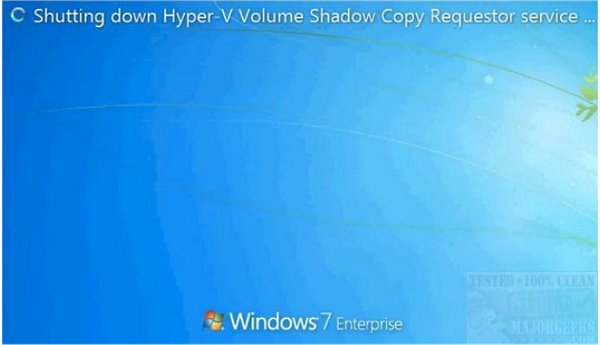
Advanced BootInforma will be useful for users wanting to learn more about exactly what is happening behind the scenes of their Windows OS as well as providing something different to read while you wait for your machine.
Download @ https://www.majorgeeks.com/files/details/advanced_bootinforma.html
comments powered by Disqus
What Advanced BootInforma will show instead of the Windows time cursor is the specific processes that are being performed as you shut down, boot up, etc. It is provided in MSI format so that it can be distributed en masse via system tools like Group Policy, Configuration Manager or WDS during operating system deployment. A key benefit with an app such as Advanced BootInforma is that it gives you the ability to see what is happening as you initiate a shutdown, log in, etc., providing insight into each step your machine takes as it goes through the requested sequence.
Advanced BootInforma will be useful for users wanting to learn more about exactly what is happening behind the scenes of their Windows OS as well as providing something different to read while you wait for your machine.
Download @ https://www.majorgeeks.com/files/details/advanced_bootinforma.html
comments powered by Disqus
