


Enable OpenSSH in Windows 10
By Timothy Tibbettson 06/15/2023 |
With each update, we see more tools ported from Linux, and they aren't always easy to spot. Here's how to enable OpenSSH in Windows 10.
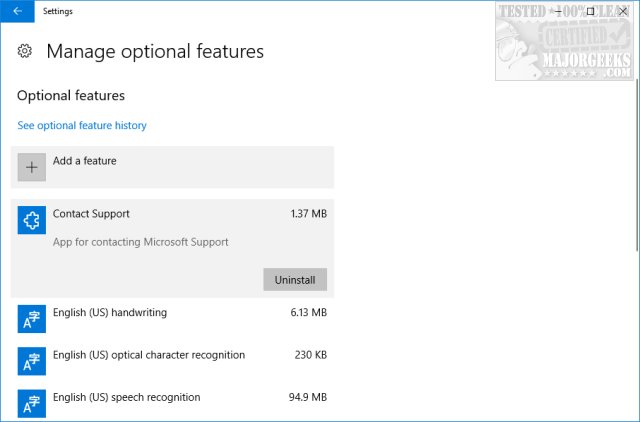
Press the Windows key + S to bring up a search and begin typing in "feature," then click on "Manage Optional Features."
By the way, this is a good place to uninstall Internet Explorer, Windows Support, Quick Assist, Windows Media Player, as well as add additional tools including Developer Mode, Graphics Tools, etc.
Click on "Add a feature" and look for OpenSHH Client and Server. Click OpenSSH Client and install. The option will now be removed, and you will want to reboot here.
Open the command-prompt after rebooting and type in ssh, and a list of command-line arguments will be automatically shown.
As a reference, you can also bookmark this page for the entire list of list of command-line arguments.
comments powered by Disqus
Press the Windows key + S to bring up a search and begin typing in "feature," then click on "Manage Optional Features."
By the way, this is a good place to uninstall Internet Explorer, Windows Support, Quick Assist, Windows Media Player, as well as add additional tools including Developer Mode, Graphics Tools, etc.
Click on "Add a feature" and look for OpenSHH Client and Server. Click OpenSSH Client and install. The option will now be removed, and you will want to reboot here.
Open the command-prompt after rebooting and type in ssh, and a list of command-line arguments will be automatically shown.
As a reference, you can also bookmark this page for the entire list of list of command-line arguments.
comments powered by Disqus
