


Update Live Windows 7 System and More with Simplix UpdatePack 7
By Timothy Tibbettson 06/15/2023 |
Simplix UpdatePack enables you to update your live Windows 7 system as well as integrate hotfixes into a Windows 7 distribution.
This update pack allows you to update Windows 7 SP1 (x86 x64) and Server 2008 R2 SP1 live operating systems, as well as to integrate the updates in the distribution (Install.wim). It can be installed in any language. Includes all critical, recommended, and security updates and updates for all versions of Internet Explorer.
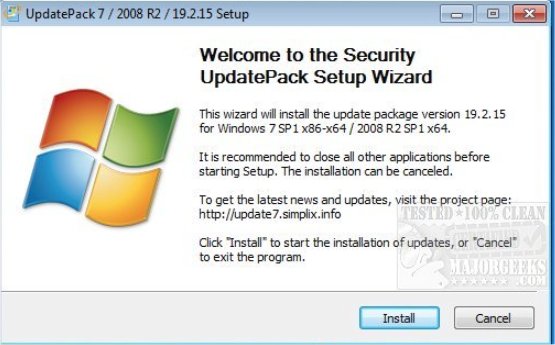
To install updates on Live Windows 7 System:
Key /Reboot to automatically restart if it is needed.
Key /S for a fully silent install with no windows and messages. Case is significant.
Key /Silent for passive installation - you can see the progress, but the installation is fully automatic.
Key /IE11 installs Internet Explorer 11 and its localization (optional).
Key /Temp= allows you to specify a work location (optional).
Key /SmartFix integrates smartfix program by Simplix in the System Restore. File SmartFix.exe must be placed together with the Pack.
To integrate updates/hotfixes into Windows 7 distribution (install.wim):
First, to see clear information about all the editions (Index Numbers) which is loaded on the particular wim image, use this command: C:\Program FilesWindows AIKToolsPETools>dism /get-wiminfo /wimfile:C:Imagesinstall.wim (replace the path to your own).
These switches are designed to integrate the updates in this distribution:
Key /WimFile= specifies the location of wim-file; you must specify an absolute path.
Key /Index= indicates the index system in the wim-file for each index must be performed to re-integrate.
Key /Index=* allows you to integrate updates to all indexes in wim-file.
Key /Optimize to optimize the size of wim-file after the integration.
Key /AntiSMS integrates AntiSMS tool by Simplix in the System Restore if there is a file AntiSMS.exe.
Not all updates can be integrated, but they should not affect the security of the system.
Download @ https://www.majorgeeks.com/files/details/simplix_updatepack.html
comments powered by Disqus
This update pack allows you to update Windows 7 SP1 (x86 x64) and Server 2008 R2 SP1 live operating systems, as well as to integrate the updates in the distribution (Install.wim). It can be installed in any language. Includes all critical, recommended, and security updates and updates for all versions of Internet Explorer.
To install updates on Live Windows 7 System:
To integrate updates/hotfixes into Windows 7 distribution (install.wim):
First, to see clear information about all the editions (Index Numbers) which is loaded on the particular wim image, use this command: C:\Program FilesWindows AIKToolsPETools>dism /get-wiminfo /wimfile:C:Imagesinstall.wim (replace the path to your own).
These switches are designed to integrate the updates in this distribution:
Not all updates can be integrated, but they should not affect the security of the system.
Download @ https://www.majorgeeks.com/files/details/simplix_updatepack.html
comments powered by Disqus
