


wufuc Disables the Unsupported Hardware Message Allowing Windows Update Completion
By Timothy Tibbettson 06/15/2023 |
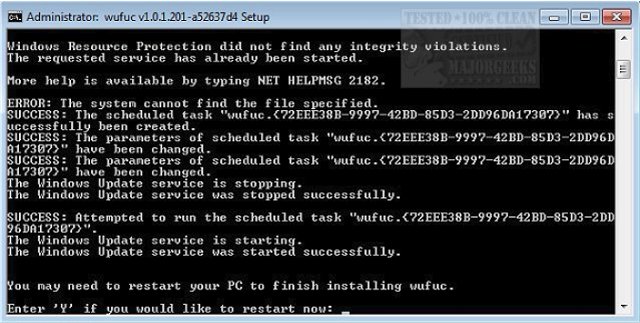
wufuc will permit you to continue installing updates on Windows 7 and 8.1 systems with AMD Ryzen, Intel Kaby Lake, or other unsupported processors by disabling the "Unsupported Hardware" message.
The release notes for Windows updates KB4012218 and KB4012219 included the following:
Enabled detection of processor generation and hardware support when PC tries to scan or download updates through Windows Update.
These updates marked the implementation of a policy change they announced some time ago, where Microsoft stated that they would not be supporting Windows 7 or 8.1 on next-gen Intel, AMD and Qualcomm processors.
For anyone who decides to not upgrade to Windows 10, the above is not ideal, to say the least, and it is especially unfortunate considering the extended support periods for Windows 7 and 8.1 won't be ending until January 4, 2020, and January 10, 2023, respectively.
wufuc Features:
-Enables Windows Update on PCs with unsupported processors.
-Written in C, the best programming language.
-Completely free (as in freedom) software.
-Does not modify any system files.
-Byte pattern-based patching, which means it will usually keep working even after new updates come out.
Some people with older Intel and AMD processors are also affected with the following CPUs all being blocked from receiving updates:
-Intel Atom Z530
-Intel Atom D525
-Intel Core i5-M 560
-Intel Core i5-4300M
-Intel Core i7-4930K
-Intel Pentium B940
-AMD FX-6300
-AMD FX-8350
Download @ https://www.majorgeeks.com/files/details/wufuc.html
comments powered by Disqus
The release notes for Windows updates KB4012218 and KB4012219 included the following:
Enabled detection of processor generation and hardware support when PC tries to scan or download updates through Windows Update.
These updates marked the implementation of a policy change they announced some time ago, where Microsoft stated that they would not be supporting Windows 7 or 8.1 on next-gen Intel, AMD and Qualcomm processors.
For anyone who decides to not upgrade to Windows 10, the above is not ideal, to say the least, and it is especially unfortunate considering the extended support periods for Windows 7 and 8.1 won't be ending until January 4, 2020, and January 10, 2023, respectively.
wufuc Features:
-Enables Windows Update on PCs with unsupported processors.
-Written in C, the best programming language.
-Completely free (as in freedom) software.
-Does not modify any system files.
-Byte pattern-based patching, which means it will usually keep working even after new updates come out.
Some people with older Intel and AMD processors are also affected with the following CPUs all being blocked from receiving updates:
-Intel Atom Z530
-Intel Atom D525
-Intel Core i5-M 560
-Intel Core i5-4300M
-Intel Core i7-4930K
-Intel Pentium B940
-AMD FX-6300
-AMD FX-8350
Download @ https://www.majorgeeks.com/files/details/wufuc.html
comments powered by Disqus
