


Unlocker 1.9.2
|
Author:
Cedrick Collomb
Date: 05/17/13 Size: 1 MB License: Ad-Supported Requires: 11|10|8|7 Downloads: 2143691 times  TIP:
Click Here to Repair or
TIP:
Click Here to Repair orRestore Missing Windows Files |
 Download@MajorGeeks Download@MajorGeeks
|
MajorGeeks: Setting the standard for editor-tested, trusted, and secure downloads since 2002. |
 Avast Free Antivirus Worried about finance scams?
Get free antivirus with AI-powered online scam detection Download Free!
This file offers the Delta toolbar during installation, which you can bypass by selecting Advanced install.
The toolbar is old, offers advertisements, and will likely be flagged by your AV program. We recommend not downloading this version and, instead, downloading Unlocker Portable, which does not include the Ad-Supported Delta Toolbar.
Nothing is more frustrating than a file that refuses to be deleted, moved, or renamed. Alright, fine a lot of things are more frustrating, but thats a top 20, for sure. You try everything, but Windows just won't cooperate. "Access is denied," "The file is in use," or some other cryptic error message pops up, leaving you stuck. That's where Unlocker steps in to save the day.
Unlocker is a lightweight yet powerful tool designed to help you regain control over your files. If you've ever run into an error preventing you from deleting a file, this is the solution you've been looking for.
Unlocker isn't just a fancy delete button—it's a full-fledged file management tool that helps you bypass those frustrating Windows restrictions. Here's what it brings to the table:
We've all been there—trying to delete or move a file only to be met with resistance. Maybe it's an installation file that won't go away, a leftover from an old program, or something Windows insists is "in use." Whatever the case, Unlocker takes the frustration out of file management. Unlocker is perfect when:
Some of the most annoying errors that Unlocker helps with include:
Unlocker is a solid tool that works as advertised when you need it. When that moment comes, you'll be glad it's in your toolbox. Simple, effective, and lightweight, it's a must-have for anyone managing files on Windows. That said, MajorGeeks recommends Unlocker Portable, which doesn't include the ad-supported Delta Toolbar that can cause flags from your antivirus program.
Similar:
● How to Use Storage Sense to Delete Junk Files in Windows 10 Automatically
●Access Denied, Error Deleting File or Folder
● How to Securely Delete Files in Windows 10 With PowerShell and Cipher
● What Are the $GetCurrent and $WINDOWS.~BT Folders and How to Delete Them
The toolbar is old, offers advertisements, and will likely be flagged by your AV program. We recommend not downloading this version and, instead, downloading Unlocker Portable, which does not include the Ad-Supported Delta Toolbar.
Unlocker: The Fix for Stubborn Files
Nothing is more frustrating than a file that refuses to be deleted, moved, or renamed. Alright, fine a lot of things are more frustrating, but thats a top 20, for sure. You try everything, but Windows just won't cooperate. "Access is denied," "The file is in use," or some other cryptic error message pops up, leaving you stuck. That's where Unlocker steps in to save the day.
Unlocker is a lightweight yet powerful tool designed to help you regain control over your files. If you've ever run into an error preventing you from deleting a file, this is the solution you've been looking for.
What Unlocker Does
Unlocker isn't just a fancy delete button—it's a full-fledged file management tool that helps you bypass those frustrating Windows restrictions. Here's what it brings to the table:
- File Unlocking: When a file refuses to be deleted or moved because it's "in use," Unlocker finds out what's holding it hostage and frees it instantly.
- Process Termination: If a background process is locking your file, Unlocker can terminate it on the spot, allowing you to modify the file as needed.
- User-Friendly Interface: You don't need to be a tech guru to use it. Just right-click a locked file, select Unlocker, and choose your action.
- Windows Explorer Integration: Unlocker integrates directly into your right-click menu for quick access—no need to open a separate window.
- Multilingual Support: Available in multiple languages, making it accessible to users worldwide.
- Lightweight and Fast: Uses minimal system resources, making it ideal even for older or lower-end machines.
▶
Why You Need Unlocker
We've all been there—trying to delete or move a file only to be met with resistance. Maybe it's an installation file that won't go away, a leftover from an old program, or something Windows insists is "in use." Whatever the case, Unlocker takes the frustration out of file management. Unlocker is perfect when:
- A program leaves behind stubborn files after an uninstall.
- You get errors like "The file is in use by another program or user."
- Windows gives you the classic "Access is denied" message.
- You want to clean up your drive without restarting your PC.
Common Errors Unlocker Can Fix
Some of the most annoying errors that Unlocker helps with include:
- " Cannot delete file: Access is denied."
- "There has been a sharing violation."
- "The source or destination file may be in use."
- "The file is in use by another program or user."
- "Make sure the disk is not full or write-protected and that the file is not currently in use."
If you deal with locked files often, Unlocker is a game-changer. Grab it today and take back control over your files.
Geek Verdict
Unlocker is a solid tool that works as advertised when you need it. When that moment comes, you'll be glad it's in your toolbox. Simple, effective, and lightweight, it's a must-have for anyone managing files on Windows. That said, MajorGeeks recommends Unlocker Portable, which doesn't include the ad-supported Delta Toolbar that can cause flags from your antivirus program.
Similar:
● How to Use Storage Sense to Delete Junk Files in Windows 10 Automatically
●Access Denied, Error Deleting File or Folder
● How to Securely Delete Files in Windows 10 With PowerShell and Cipher
● What Are the $GetCurrent and $WINDOWS.~BT Folders and How to Delete Them
Limitations:
Offers to install the Delta toolbar during installation. Uncheck that by selecting Advanced install. See the video above at 30 seconds for more. Unlocker Portable does not include the Ad-Supported Delta Toolbar.
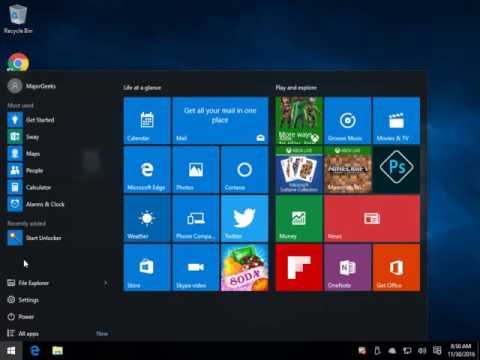
 Screenshot for Unlocker
Top Downloads In File Managers
 Unlocker 1.9.2 [ 2013-05-17 10:34:40 | 1 MB | Ad-Supported | 11|10|8|7 | 5 ] IObit Unlocker 1.3.0.12 [ 2026-04-30 11:58:50 | 3 MB | Freeware | 11|10|8|7|Vista|XP | 5 ] Files 4.2 [ 2026-07-03 01:28:40 | Size Varies | Open Source | 11|10 | 3 ] Q-Dir 12.72 [ 2026-07-23 07:52:38 | 2 MB | Freeware | 11|10|8|7 | 5 ] Tablacus Explorer 26.5.12 [ 2026-05-17 03:08:59 | 938 KB | Open Source | 11|10|8|7 | 5 ]
 Tactical Briefings
Comment Rules & Etiquette - We welcome all comments from our readers, but any comment section requires some moderation. Some posts are auto-moderated to reduce spam, including links and swear words. When you make a post, and it does not appear, it went into moderation. We are emailed when posts are marked as spam and respond ASAP. Some posts might be deleted to reduce clutter. Examples include religion, politics, and comments about listing errors (after we fix the problem and upvote your comment). Finally, be nice. Thank you for choosing MajorGeeks.

© 2000-2026 MajorGeeks.com
Powered by Contentteller® CMS System