


Aomei Backupper Standard - totally free and easy to use backup software
Posted by: Jon Ben-Mayor on 03/26/15 04:47 am
[
 Comments
]
Comments
]
Protecting the safety of your system and data doesn't need to cost hundreds of dollars - Aomei proves this with Backupper Standard. A simple backup software providing basic and advanced features all for free.
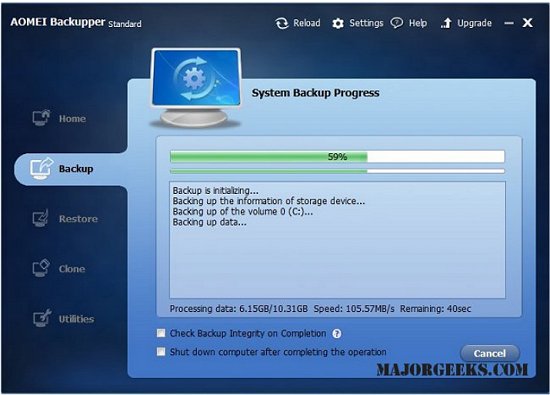
Set up a schedule to automatically backup your system and data.
Set a password for each backup to protect it from unauthorized access. Specify an industry leading compression algorithm to compress backup images for taking up less disk space.
Make a Linux or Windows PE bootable media (CD/DVD disc or USB drive) for data backup and disaster recovery in case of Windows cannot boot. It is also available for backing up to shared folder and restore from network under bootable environment. Besides, you can manually add additional drivers when create Windows PE bootable media.
Features:
Files/Folders Backup
Securely back up individual files and folders, such as email, photos, videos, documents, games and programs. Also support backing up files from one network/NAS to another.
System Backup
One-click system drive backup of all contents, including Windows operating system, installed applications and custom settings without interrupting your work.
Disk Backup
Backup your hard disk drives, including basic disk, dynamic disk, MBR disk, GPT disk, external disk, USB flash drive and other storage devices that can be recognized by Windows.
Partition Backup
If you just want to backup one or more specified partitions or dynamic volumes, not entire disk. This free backup software allows you to back up partitions or dynamic volumes to a compressed image file.
Download @ http://www.majorgeeks.com/files/details/aomei_backupper_standard.html
Set up a schedule to automatically backup your system and data.
Set a password for each backup to protect it from unauthorized access. Specify an industry leading compression algorithm to compress backup images for taking up less disk space.
Make a Linux or Windows PE bootable media (CD/DVD disc or USB drive) for data backup and disaster recovery in case of Windows cannot boot. It is also available for backing up to shared folder and restore from network under bootable environment. Besides, you can manually add additional drivers when create Windows PE bootable media.
Features:
Files/Folders Backup
System Backup
Disk Backup
Partition Backup
Download @ http://www.majorgeeks.com/files/details/aomei_backupper_standard.html
Comments
