


ClearDnsCache Enables Fast DNS Cache Clearing
Posted by: Jon Ben-Mayor on 08/27/17 01:33 am
[
 Comments
]
Comments
]
ClearDnsCache is a simple app that will help solve some common errors by clearing your DNS cache as soon as you execute it.
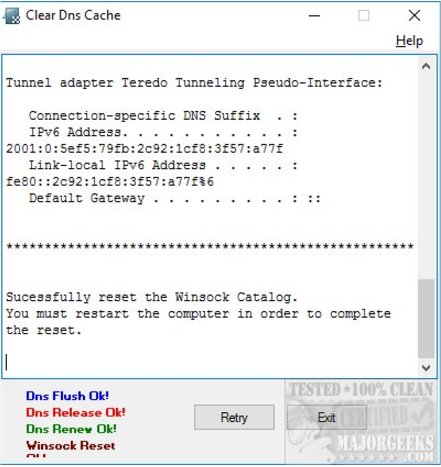
ClearDnsCache is aimed towards those that may be receiving 404 or DNS errors even though their internet is working fine. There's no GUI here or any options. Once executed, it will clear your DNS cache and tell you to reboot. That's it. There is some information after it runs including DNS, gateway, and IP. In other words, it shows you the current Windows IP configuration.
Of course, you can skip the download, open an elevated command-prompt and type in "ipconfig /flushdns." This app is for those who don't know how to do that and don't have the time or interest in learning how. Geeks will also be glad to know you can also set this up with a command-line switch to run it silently by running "/About /Silent."
Download @ http://www.majorgeeks.com/files/details/cleardnscache.html
ClearDnsCache is aimed towards those that may be receiving 404 or DNS errors even though their internet is working fine. There's no GUI here or any options. Once executed, it will clear your DNS cache and tell you to reboot. That's it. There is some information after it runs including DNS, gateway, and IP. In other words, it shows you the current Windows IP configuration.
Of course, you can skip the download, open an elevated command-prompt and type in "ipconfig /flushdns." This app is for those who don't know how to do that and don't have the time or interest in learning how. Geeks will also be glad to know you can also set this up with a command-line switch to run it silently by running "/About /Silent."
Download @ http://www.majorgeeks.com/files/details/cleardnscache.html
Comments
