


Did you check for Windows Updates this week?
Posted by: Timothy Tibbetts on 12/11/13 03:23 am
[
 Comments
]
Comments
]
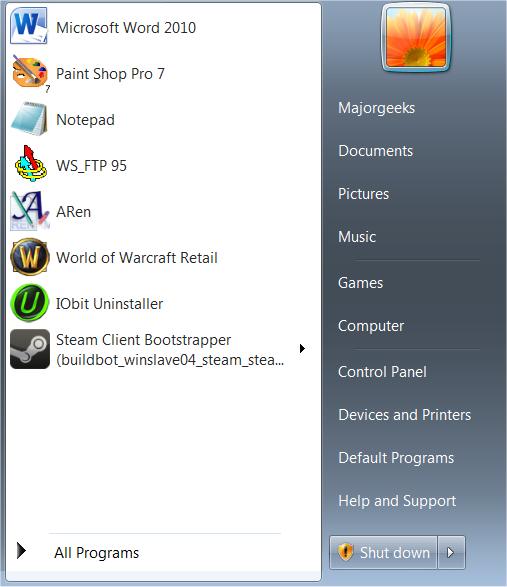
Just a reminder to check for your Windows Updates. There’s always a long list of fixes, which are detailed below but it’s important to do to keep your computer secure. While you might have Windows Updates set to automatic, sometimes you need to reboot to apply. Check your tray or your Start to see if it has the orange icon as seen in the picture below:
Microsoft security bulletin for December 10 2013
Today Microsoft released the following Security Bulletin(s).
Note: www.microsoft.com/technet/security and www.microsoft.com/security are authoritative in all matters concerning Microsoft Security Bulletins! ANY e-mail, web board or newsgroup posting (including this one) should be verified by visiting these sites for official information. Microsoft never sends security or other updates as attachments. These updates must be downloaded from the microsoft.com download center or Windows Update. See the individual bulletins for details.
Because some malicious messages attempt to masquerade as official Microsoft security notices, it is recommended that you physically type the URLs into your web browser and not click on the hyperlinks provided.
Bulletin Summary:
http://technet.microsoft.com/en-us/security/bulletin/ms13-dec
Critical (5)
Microsoft Security Bulletin MS13-096
Vulnerability in Microsoft Graphics Component Could allow Remote Code Execution (2908005)
http://technet.microsoft.com/en-us/security/bulletin/ms13-096
Microsoft Security Bulletin MS13-097
Cumulative Security Update for Internet Explorer (2898785)
http://technet.microsoft.com/en-us/security/bulletin/ms13-097
Microsoft Security Bulletin MS13-098
Vulnerability in Windows Could Allow Remote Code Execution (2893294)
http://technet.microsoft.com/en-us/security/bulletin/ms13-098
Microsoft Security Bulletin MS13-099
Vulnerability in Microsoft Scripting Runtime Object Library Could Allow Remote Code Execution (2909158)
http://technet.microsoft.com/en-us/security/bulletin/ms13-099
Microsoft Security Bulletin MS13-105
Vulnerabilities in Microsoft Exchange Server Could Allow Remote Code Execution (2915705)
http://technet.microsoft.com/en-us/security/bulletin/ms13-105
Important (6)
Microsoft Security Bulletin MS13-100
Vulnerabilities in Microsoft SharePoint Server Could Allow Remote Code Execution (2904244)
http://technet.microsoft.com/en-us/security/bulletin/ms13-100
Microsoft Security Bulletin MS13-101
Vulnerabilities in Windows Kernel-Mode Drivers Could Allow Elevation of Privilege (2880430)
http://technet.microsoft.com/en-us/security/bulletin/ms13-101
Microsoft Security Bulletin MS13-102
Vulnerability in LRPC Client Could Allow Elevation of Privilege (2898715)
http://technet.microsoft.com/en-us/security/bulletin/ms13-102
Microsoft Security Bulletin MS13-103
Vulnerability in ASP.NET SignalR Could Allow Elevation of Privilege (2905244)
http://technet.microsoft.com/en-us/security/bulletin/ms13-103
Microsoft Security Bulletin MS13-104
Vulnerability in Microsoft Office Could Allow Information Disclosure (2909976)
http://technet.microsoft.com/en-us/security/bulletin/ms13-104
Microsoft Security Bulletin MS13-106
Vulnerability in a Microsoft Office Shared Component Could Allow Security Feature Bypass (2905238)
http://technet.microsoft.com/en-us/security/bulletin/ms13-106
Please note that Microsoft may release bulletins out side of this schedule if we determine the need to do so.
If you have any questions regarding the patch or its implementation after reading the above listed bulletin you should contact For home users, no-charge support for security updates (only!) is available by calling 800-MICROSOFT (800-642-7676) in the US or 877-568-2495 in Canada.
As always, download the updates only from the vendors website - visit Windows Update and Office Update or Microsoft Update websites. You may also get the updates thru Automatic Updates functionality in Windows system.
Security Tool
Find out if you are missing important Microsoft product updates by using MBSA.
Microsoft security bulletin for December 10 2013
Today Microsoft released the following Security Bulletin(s).
Note: www.microsoft.com/technet/security and www.microsoft.com/security are authoritative in all matters concerning Microsoft Security Bulletins! ANY e-mail, web board or newsgroup posting (including this one) should be verified by visiting these sites for official information. Microsoft never sends security or other updates as attachments. These updates must be downloaded from the microsoft.com download center or Windows Update. See the individual bulletins for details.
Because some malicious messages attempt to masquerade as official Microsoft security notices, it is recommended that you physically type the URLs into your web browser and not click on the hyperlinks provided.
Bulletin Summary:
http://technet.microsoft.com/en-us/security/bulletin/ms13-dec
Critical (5)
Microsoft Security Bulletin MS13-096
Vulnerability in Microsoft Graphics Component Could allow Remote Code Execution (2908005)
http://technet.microsoft.com/en-us/security/bulletin/ms13-096
Microsoft Security Bulletin MS13-097
Cumulative Security Update for Internet Explorer (2898785)
http://technet.microsoft.com/en-us/security/bulletin/ms13-097
Microsoft Security Bulletin MS13-098
Vulnerability in Windows Could Allow Remote Code Execution (2893294)
http://technet.microsoft.com/en-us/security/bulletin/ms13-098
Microsoft Security Bulletin MS13-099
Vulnerability in Microsoft Scripting Runtime Object Library Could Allow Remote Code Execution (2909158)
http://technet.microsoft.com/en-us/security/bulletin/ms13-099
Microsoft Security Bulletin MS13-105
Vulnerabilities in Microsoft Exchange Server Could Allow Remote Code Execution (2915705)
http://technet.microsoft.com/en-us/security/bulletin/ms13-105
Important (6)
Microsoft Security Bulletin MS13-100
Vulnerabilities in Microsoft SharePoint Server Could Allow Remote Code Execution (2904244)
http://technet.microsoft.com/en-us/security/bulletin/ms13-100
Microsoft Security Bulletin MS13-101
Vulnerabilities in Windows Kernel-Mode Drivers Could Allow Elevation of Privilege (2880430)
http://technet.microsoft.com/en-us/security/bulletin/ms13-101
Microsoft Security Bulletin MS13-102
Vulnerability in LRPC Client Could Allow Elevation of Privilege (2898715)
http://technet.microsoft.com/en-us/security/bulletin/ms13-102
Microsoft Security Bulletin MS13-103
Vulnerability in ASP.NET SignalR Could Allow Elevation of Privilege (2905244)
http://technet.microsoft.com/en-us/security/bulletin/ms13-103
Microsoft Security Bulletin MS13-104
Vulnerability in Microsoft Office Could Allow Information Disclosure (2909976)
http://technet.microsoft.com/en-us/security/bulletin/ms13-104
Microsoft Security Bulletin MS13-106
Vulnerability in a Microsoft Office Shared Component Could Allow Security Feature Bypass (2905238)
http://technet.microsoft.com/en-us/security/bulletin/ms13-106
Please note that Microsoft may release bulletins out side of this schedule if we determine the need to do so.
If you have any questions regarding the patch or its implementation after reading the above listed bulletin you should contact For home users, no-charge support for security updates (only!) is available by calling 800-MICROSOFT (800-642-7676) in the US or 877-568-2495 in Canada.
As always, download the updates only from the vendors website - visit Windows Update and Office Update or Microsoft Update websites. You may also get the updates thru Automatic Updates functionality in Windows system.
Security Tool
Find out if you are missing important Microsoft product updates by using MBSA.
Comments
