


Flashback: The Licking Dog Screensaver Always Makes Me Smile
Posted by: Timothy Tibbetts on 04/28/17 05:14 am
[
 Comments
]
Comments
]
Licking Dog Screensaver features an adorable pug trying to lick your screen clean.
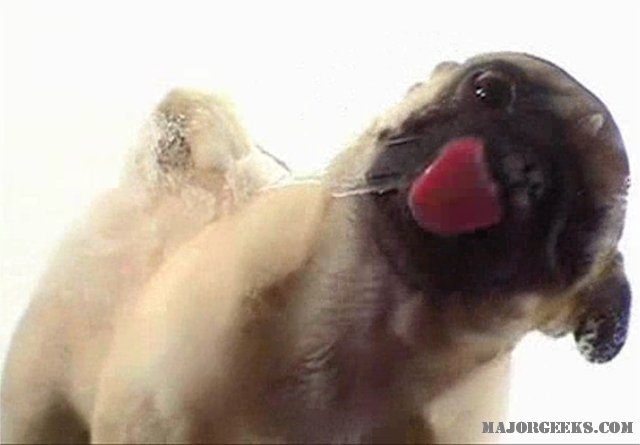
If you have played with computers for at least six years, then this screensaver is nothing new to you. Screensavers are dime-a-dozen but GOOD screensavers are far, and few between and this is one of the gems. It’s a pug dog licking your screen. That’s it.
Love dogs? Need a new screensaver? Your search ends here. It's no longer updated but we ran it fine under Windows 7-10 (screensavers are still just .scr files). There are only two settings; mute sound and multi-monitor support. We did notice one problem on some newer operating systems; the taskbar tends to disappear on resume requiring a reboot however on our tests with the latest version that seems to have disappeared as a problem. If it happens to you, pressing the Windows icon key should bring it back.
Licking Dog Screensaver. It's a pug. Licking your screen. What's not to like?
Download @ http://www.majorgeeks.com/files/details/licking_dog_screensaver.html
If you have played with computers for at least six years, then this screensaver is nothing new to you. Screensavers are dime-a-dozen but GOOD screensavers are far, and few between and this is one of the gems. It’s a pug dog licking your screen. That’s it.
Love dogs? Need a new screensaver? Your search ends here. It's no longer updated but we ran it fine under Windows 7-10 (screensavers are still just .scr files). There are only two settings; mute sound and multi-monitor support. We did notice one problem on some newer operating systems; the taskbar tends to disappear on resume requiring a reboot however on our tests with the latest version that seems to have disappeared as a problem. If it happens to you, pressing the Windows icon key should bring it back.
Licking Dog Screensaver. It's a pug. Licking your screen. What's not to like?
Download @ http://www.majorgeeks.com/files/details/licking_dog_screensaver.html
Comments
