


Fully Manage Your Digital Photos with SoftOrbits Digital Photo Suite
Posted by: Jon Ben-Mayor on 08/22/17 02:14 am
[
 Comments
]
Comments
]
SoftOrbits Digital Photo Suite places you in charge of multiple tools for quick and easy resizing, converting, protecting, correcting, and publishing your digital photos.
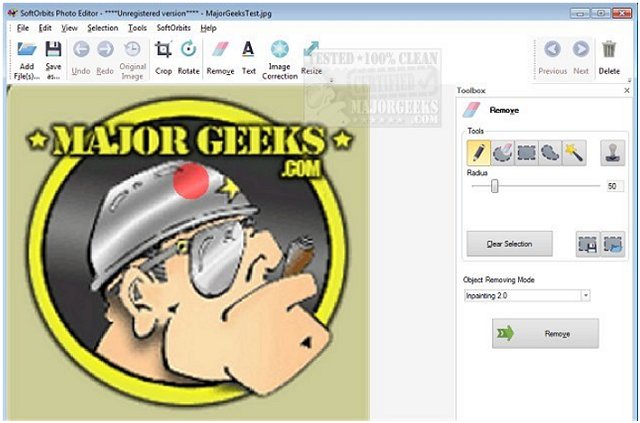
The suite includes a Batch Picture Resizer, Batch Picture Protector, Html Web Gallery Creator utilities, Red Eye Removal tool, Sketch Drawer, Soft Skin Photo Makeup, Photo Stamp Remover, Background Remover and a Simple Photo Editor. With these useful tools at your disposal, you can quickly clean up your photos, clean up scanned images and touch-up those old photos. Need to resize an image or images? You can resize your pictures and fit the entire photo collection or share common resolution between them. You can also perform skin enhancements and apply virtual makeup or take care of those small skin flaws. And you have an easy way to get rid of those horrible red eyes with just a couple of clicks.
SoftOrbits Digital Photo Suite is feature-rich providing a tool to tackle most photo editing procedures and corrections. All the separate tools included within the suite are presented in a functional UI that will allow you to preview the work before saving it and get your images to look like you want them to.
Download @ http://www.majorgeeks.com/files/details/softorbits_digital_photo_suite.html
The suite includes a Batch Picture Resizer, Batch Picture Protector, Html Web Gallery Creator utilities, Red Eye Removal tool, Sketch Drawer, Soft Skin Photo Makeup, Photo Stamp Remover, Background Remover and a Simple Photo Editor. With these useful tools at your disposal, you can quickly clean up your photos, clean up scanned images and touch-up those old photos. Need to resize an image or images? You can resize your pictures and fit the entire photo collection or share common resolution between them. You can also perform skin enhancements and apply virtual makeup or take care of those small skin flaws. And you have an easy way to get rid of those horrible red eyes with just a couple of clicks.
SoftOrbits Digital Photo Suite is feature-rich providing a tool to tackle most photo editing procedures and corrections. All the separate tools included within the suite are presented in a functional UI that will allow you to preview the work before saving it and get your images to look like you want them to.
Download @ http://www.majorgeeks.com/files/details/softorbits_digital_photo_suite.html
Comments
