


GiliSoft USB Encryption: USB Flash Drive Encryption Made Fast
Posted by: Jon Ben-Mayor on 08/01/17 02:18 am
[
 Comments
]
Comments
]
There are some people that say that there is never enough time to do the essential things that will help keep their data and devices safe. Now with Gilisoft's USB Encryption tool, there is no time for that sentiment. 
You have only several options allowing you to quickly encrypt a USB flash drive making it a great choice even for those that are not that computer savvy. Big clear button choices are central within GiliSoft USB Encryption's UI and it includes support for portable storage device (external drive) encryption. You also have the option to divide your external drive into two parts after the encryption process which will afford you with a secure area and a public area. The data within the secure zone gets 256-bit AES on-the-fly encryption. You also have the ability to password protect your USB drive or any other type of external storage devices for added security.
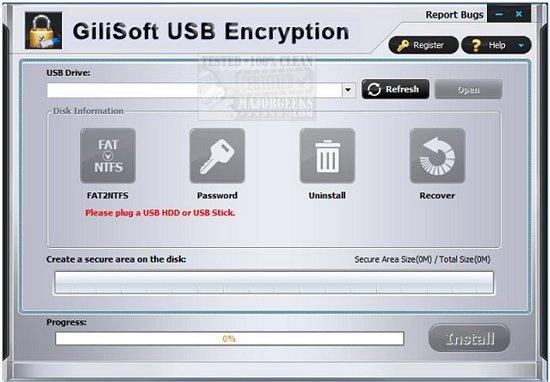
The thought process here was to subscribe to K.I.S.S. (Keep It Simple...) and that is evident when you convert a standard USB flash drive in a matter of minutes with no configuration to speak of.
Download @ http://www.majorgeeks.com/files/details/gilisoft_usb_encryption.html
You have only several options allowing you to quickly encrypt a USB flash drive making it a great choice even for those that are not that computer savvy. Big clear button choices are central within GiliSoft USB Encryption's UI and it includes support for portable storage device (external drive) encryption. You also have the option to divide your external drive into two parts after the encryption process which will afford you with a secure area and a public area. The data within the secure zone gets 256-bit AES on-the-fly encryption. You also have the ability to password protect your USB drive or any other type of external storage devices for added security.
The thought process here was to subscribe to K.I.S.S. (Keep It Simple...) and that is evident when you convert a standard USB flash drive in a matter of minutes with no configuration to speak of.
Download @ http://www.majorgeeks.com/files/details/gilisoft_usb_encryption.html
Comments
