


Google+ abandons "real names only" policy
Posted by: Jon Ben-Mayor on 07/17/14 03:12 am
[
 Comments
]
Comments
]
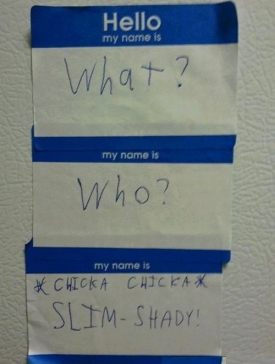
Google has removed the "real names only" policy for Google+ - now you can pull Haywood Jablowme, Phil McCracken and Smokey 420 into your circle of friends. Fun times!
 Google had this to say about the change: Over the years, as Google+ grew and its
  community became established, we steadily opened up this policy, from allowing +Page owners to use any name of their choosing to letting YouTube users bring their usernames into Google+. Today, we are taking the last step: there are no more restrictions on what name you can use.
We know you've been calling for this change for a while. We know that our names policy has been unclear, and this has led to some unnecessarily difficult experiences for some of our users. For this we apologize, and we hope that today's change is a step toward making Google+ the welcoming and inclusive place that we want it to be. Thank you for expressing your opinions so passionately, and thanks for continuing to make Google+ the thoughtful community that it is.
Google+ chief architect Yonatan Zunger noted in response picked up by the Register, that the policy change makes it “come out and play” time for trolls, that “One of the reasons this is safe to launch is that our troll-smashing department has gotten very good at their jobs.”
Not everyone is happy about the change, one user responded with: "I respectfully disagree with this decision , but there you go. Can't please everybody. And I guess this is to try and gain traction."
Google had this to say about the change: Over the years, as Google+ grew and its community became established, we steadily opened up this policy, from allowing +Page owners to use any name of their choosing to letting YouTube users bring their usernames into Google+. Today, we are taking the last step: there are no more restrictions on what name you can use. We know you've been calling for this change for a while. We know that our names policy has been unclear, and this has led to some unnecessarily difficult experiences for some of our users. For this we apologize, and we hope that today's change is a step toward making Google+ the welcoming and inclusive place that we want it to be. Thank you for expressing your opinions so passionately, and thanks for continuing to make Google+ the thoughtful community that it is.
Google+ chief architect Yonatan Zunger noted in response picked up by the Register, that the policy change makes it “come out and play” time for trolls, that “One of the reasons this is safe to launch is that our troll-smashing department has gotten very good at their jobs.”
Not everyone is happy about the change, one user responded with: "I respectfully disagree with this decision , but there you go. Can't please everybody. And I guess this is to try and gain traction."
Comments
