


Google releases Password Alert
Posted by: Timothy Weaver on 04/30/15 03:49 am
[
 Comments
]
Comments
]
Google has released a new Chrome extension called Password Alert. The point of the alert is to let you know when you are entering your Google password into a non-Google site. It will ask you to change your password.
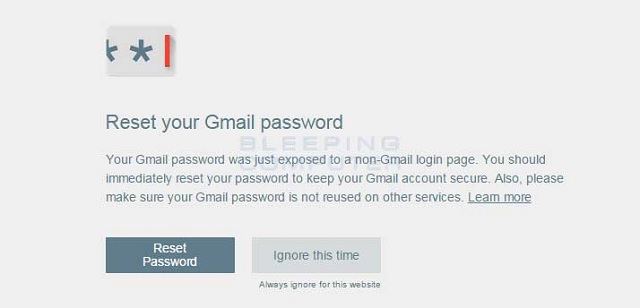
When you first install Password Alert, the extension will ask you to login into Google where it will then create a scrambled version of your password. Then whenever you login to another site, it scrambles the password you enter and compares it to the scrambled Google password. The problem is that many users only use one password for all the sites they visit.
The problem is that although it's a good attempt at trying to convince users to use unique passwords, unfortunately for those who use the same password, the alerts will become a nuisance and they will just remove the extension.
Users need to either use a password generator or come up with a scheme to create easy to remember strong passwords.
Source: BleepingComputer
When you first install Password Alert, the extension will ask you to login into Google where it will then create a scrambled version of your password. Then whenever you login to another site, it scrambles the password you enter and compares it to the scrambled Google password. The problem is that many users only use one password for all the sites they visit.
The problem is that although it's a good attempt at trying to convince users to use unique passwords, unfortunately for those who use the same password, the alerts will become a nuisance and they will just remove the extension.
Users need to either use a password generator or come up with a scheme to create easy to remember strong passwords.
Source: BleepingComputer
Comments
