


Intel introduces a wire free laptop
Posted by: Timothy Weaver on 04/13/15 05:39 am
[
 Comments
]
Comments
]
Intel has shown what it calls the “world’s first no-wires” laptop. The demo supports wire free charging and can connect to peripherals without cables.
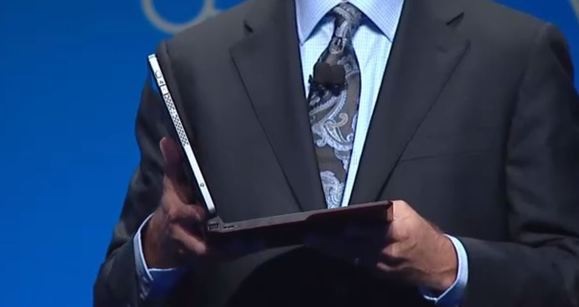
Charging will be available with a wireless charging table or surface. It eliminates HDMI and DisplayPort ports with the use of Wi-Di (Wireless Display) technology ( the monitor would have to support Wi-Di technology).
Intel’s Kirk Skaugen, senior vice president and general manager for Intel’s Client Computing group said: “This is going to be the world’s first PC where you’d never need to connect a wire to it."
Intel is not the only one working on wireless computing. Lenovo wants to produce a wireless laptop for business laptops.
The emerging WiGig technology supports transfer rates of 7G bps (bits per second) which is faster than Wi-Fi.
Intel’s wire-free PC isn’t practical today as wireless peripherals aren’t available and wireless charging surfaces for laptops haven’t been installed in restaurants, cafes and other spaces. It could be years before wireless monitors and external storage devices are widely available.
Also, passwords will be a thing of the past as it will support biometric authentication, which is a feature available in Windows 10.
Source: PCWorld
Charging will be available with a wireless charging table or surface. It eliminates HDMI and DisplayPort ports with the use of Wi-Di (Wireless Display) technology ( the monitor would have to support Wi-Di technology).
Intel’s Kirk Skaugen, senior vice president and general manager for Intel’s Client Computing group said: “This is going to be the world’s first PC where you’d never need to connect a wire to it."
Intel is not the only one working on wireless computing. Lenovo wants to produce a wireless laptop for business laptops.
The emerging WiGig technology supports transfer rates of 7G bps (bits per second) which is faster than Wi-Fi.
Intel’s wire-free PC isn’t practical today as wireless peripherals aren’t available and wireless charging surfaces for laptops haven’t been installed in restaurants, cafes and other spaces. It could be years before wireless monitors and external storage devices are widely available.
Also, passwords will be a thing of the past as it will support biometric authentication, which is a feature available in Windows 10.
Source: PCWorld
Comments
