


Lawsuit filed against Lenovo and Superfish (Video)
Posted by: Timothy Weaver on 02/23/15 04:35 am
[
 Comments
]
Comments
]
Consumers are upset about the Lenovo and Superfish fiasco. A class action suit has been file late last week against Lenovo and Superfish, which charges both companies with “fraudulent” business practices and of making Lenovo PCs vulnerable to malware and malicious attacks by pre-loading the adware.
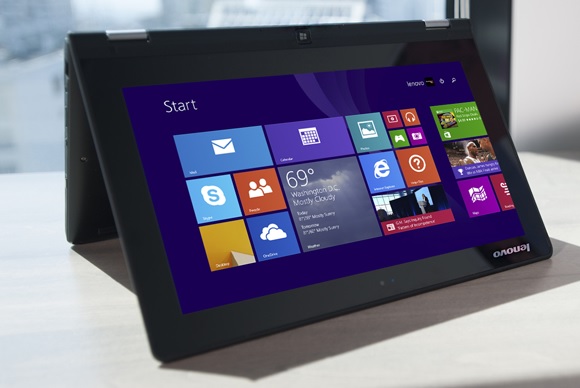
The lawsuit was filed after Lenovo admitted to pre-loading Superfish on some consumer PCs. Plaintiff Jessica Bennett has accused Lenovo and Superfish of damaging her computer and invading her privacy and making money by studying her Internet browsing habits.
The laptops affected by Superfish include non-ThinkPad models such as G Series, U Series, Y Series, Z Series, S Series, Flex, Miix, Yoga and E Series.
Lenovo earlier admitted it “messed up” by preloading Superfish on computers. The software plugs product recommendations into search results, but can hijack connections and open major security holes, thus leaving computers vulnerable to malicious attacks.
Damages from Lenovo and Superfish are being sought as part of the lawsuit filed in the U.S. District Court for the Southern District of California.
For information on removing Superfish download @ http://www.majorgeeks.com/files/details/superfish_removal_tool.html and watch the video below.
For more on Superfish, check out the Superfish Wikipedia page.
The lawsuit was filed after Lenovo admitted to pre-loading Superfish on some consumer PCs. Plaintiff Jessica Bennett has accused Lenovo and Superfish of damaging her computer and invading her privacy and making money by studying her Internet browsing habits.
The laptops affected by Superfish include non-ThinkPad models such as G Series, U Series, Y Series, Z Series, S Series, Flex, Miix, Yoga and E Series.
Lenovo earlier admitted it “messed up” by preloading Superfish on computers. The software plugs product recommendations into search results, but can hijack connections and open major security holes, thus leaving computers vulnerable to malicious attacks.
Damages from Lenovo and Superfish are being sought as part of the lawsuit filed in the U.S. District Court for the Southern District of California.
For information on removing Superfish download @ http://www.majorgeeks.com/files/details/superfish_removal_tool.html and watch the video below.
For more on Superfish, check out the Superfish Wikipedia page.
Comments
