


Locky Ransomware is Back But Only Targets Vista and XP
Posted by: Timothy Weaver on 06/22/17 09:06 am
[
 Comments
]
Comments
]
The Necurs botnet is sending out spam emails which are capable of delivering the Locky ransomware.
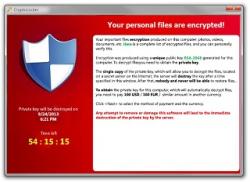 This campaign is rather tame because the version of Locky that is being spread is only targeting older versions of Windows. Windows Vista and XP are the only systems that are vulnerable.
The group behind the Necurs botnet had been responsible for spreading the Jaff ransomware until researchers at Kaspersky found a flaw in the malware and produced a free utility to help infected victims recover their files without paying the ransom.
Once the decryptor was released, the group behind the Necurs botnet switched to Locky since its encryption has never been cracked.
The researchers at Cisco's Talos division said the criminals rushed to deploy Locky and made several errors in their deployment.
Cisco Talos experts said: "Upon further investigation, we determined that on systems running Windows 7 or later with Data Execution Prevention (DEP) would cause the unpacker to fail."
Cisco found that this new campaign accounted for 7.2% of all internet spam traffic. That is a lot considering it is only targeting less than 10% of the entire Windows userbase.
Source: Bleeping Computer
This campaign is rather tame because the version of Locky that is being spread is only targeting older versions of Windows. Windows Vista and XP are the only systems that are vulnerable.The group behind the Necurs botnet had been responsible for spreading the Jaff ransomware until researchers at Kaspersky found a flaw in the malware and produced a free utility to help infected victims recover their files without paying the ransom.
Once the decryptor was released, the group behind the Necurs botnet switched to Locky since its encryption has never been cracked.
The researchers at Cisco's Talos division said the criminals rushed to deploy Locky and made several errors in their deployment.
Cisco Talos experts said: "Upon further investigation, we determined that on systems running Windows 7 or later with Data Execution Prevention (DEP) would cause the unpacker to fail."
Cisco found that this new campaign accounted for 7.2% of all internet spam traffic. That is a lot considering it is only targeting less than 10% of the entire Windows userbase.
Source: Bleeping Computer
Comments
