


New on MajorGeeks: AOL Shield Browser
Posted by: Jon Ben-Mayor on 01/25/16 03:42 am
[
 Comments
]
Comments
]
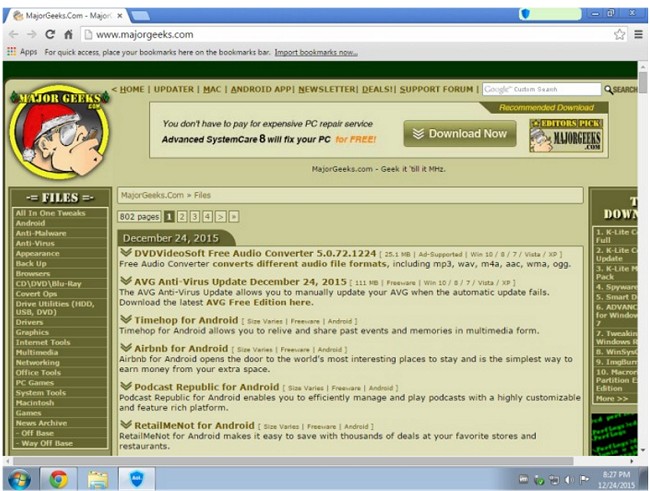
AOL Shield Browser is based off of the popular Chromium browser framework, and supports most Chrome extensions, apps, themes, and more.
AOL Shield Browser has the following security features built in:
Anti-Phishing
PhishLock Technology
Patented technology to help prevent identity and data theft by detecting when a user navigates to a website identified as a scam phishing site and blocking the phishing site from loading.
Blacklisting Protection
Once a phishing website has been confirmed, it is added to a blacklist that is maintained and made available for public use.
EntryProtect
Anti-keylogging (AKL)
Window Hook Protection - A hook is a mechanism to listen to system messages that are sent to an application window, such as mouse and keyboard events. Hook protection prevents malware from listening to these messages.
Kernel Level keylogging Protection
Key loggers are a form of spyware or “trojans” that are used to capture keystrokes. The AOL Shield software uses patented technology that replaces the actual keys pressed with randomly-generated characters to help prevent anyone from capturing keystrokes and with them, your sensitive data.
Screen Capture Protection
Prevents malware from stealing sensitive information by preventing such malicious software from taking pictures of the browser screens. The user is still able to capture screens manually.
Form Grabbing (Anti-API hooking) Protection
Prevents malicious software from stealing form data before it is encrypted and sent to the intended website.
Crypto and Networking API protection
A technique used by some malware (e.g., SpyEye. Zeus) is to intercept the calls to crypto and networking libraries. The software is able to remove the hooks installed by this type of malware.
Malware
Website malware protection
Leverages the Chromium open source project anti-malware and anti-download technology. A database of websites known to contain malware is actively maintained. This information is communicated to AOL Shield. If a website is reported as containing malware, the user will be redirected to a malware alert page.
Malware download protection
Involves maintaining a database of known malicious files; each time a user downloads a file, the list of malicious files is checked. If a user attempts to download a malicious file, the file will be blocked. A white-list of known good files is also maintained to prevent unnecessary checking and or blocking of good files.
Download @ http://www.majorgeeks.com/files/details/aol_shield_browser.html
AOL Shield Browser has the following security features built in:
Anti-Phishing
PhishLock Technology
Blacklisting Protection
EntryProtect
Anti-keylogging (AKL)
Kernel Level keylogging Protection
Screen Capture Protection
Form Grabbing (Anti-API hooking) Protection
Crypto and Networking API protection
Malware
Website malware protection
Malware download protection
Download @ http://www.majorgeeks.com/files/details/aol_shield_browser.html
Comments
