


New on MajorGeeks: Intel Compiler Patcher (ICP)
Posted by: Jon Ben-Mayor on 12/22/15 02:52 am
[
 Comments
]
Comments
]
Intel Compiler Patcher (ICP) scans your hard drive for executable files compiled with the Intel C++ Compiler making it possible to disable the CPU dispatcher in detected files addressing an issue that causes non Intel chipsets to run these programs slower.
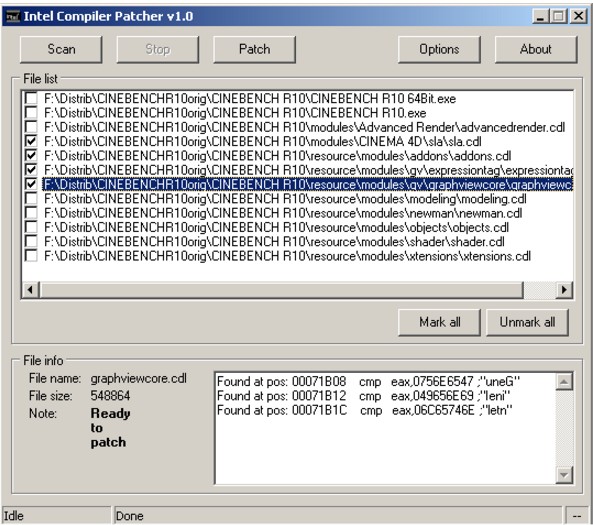
The compiler or library can make multiple versions of a piece of code, each optimized for a certain processor and instruction set, for example SSE2, SSE3, etc. The system includes a function that detects which type of CPU it is running on and chooses the optimal code path for that CPU. This is called a CPU dispatcher. However, the Intel CPU dispatcher does not only check which instruction set is supported by the CPU, it also checks the vendor ID string. If the vendor string says "GenuineIntel" then it uses the optimal code path. If the CPU is not from Intel then, in most cases, it will run the slowest possible version of the code, even if the CPU is fully compatible with a better version.
Download @ http://www.majorgeeks.com/files/details/intel_compiler_patcher.html
The compiler or library can make multiple versions of a piece of code, each optimized for a certain processor and instruction set, for example SSE2, SSE3, etc. The system includes a function that detects which type of CPU it is running on and chooses the optimal code path for that CPU. This is called a CPU dispatcher. However, the Intel CPU dispatcher does not only check which instruction set is supported by the CPU, it also checks the vendor ID string. If the vendor string says "GenuineIntel" then it uses the optimal code path. If the CPU is not from Intel then, in most cases, it will run the slowest possible version of the code, even if the CPU is fully compatible with a better version.
Download @ http://www.majorgeeks.com/files/details/intel_compiler_patcher.html
Comments
