


Nexus 7: Shoot it or give it away? (8 hours left to enter)
Posted by: Timothy Tibbetts on 11/17/13 07:02 am
[
 Comments
]
Comments
]
So, I bought a Nexus 7 to play with and then I discovered that a lot of the tablet is locked down. You can’t download certain apps, like BBM, just to name one. So, for less money I bought a Samsung Galaxy Tab 3 7.0 that lets me do what I want. If I wanted restrictions I would have kept the Microsoft Surface 2 or overpaid for an iPad.
Sure, I guess I could look into unlocking it but how boring.
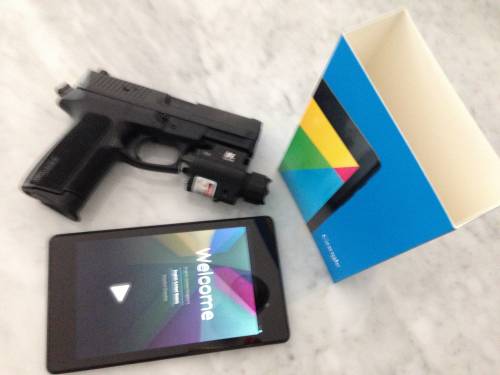
In my limited mind, that only leaves me two choices:
1: Shoot it
2: Give it away.
Hit Facebook to play along. Like the post if you want me to shoot it and comment if you want to win it.
Winner will be picked by the “I have no plan” concept. I don’t have a feeling either way and will make my decision next week or whenever I feel the urge to do one or the other.
Our Facebook page is at
https://www.facebook.com/majorgeeksdotcom/
and the exact post should be at
https://www.facebook.com/majorgeeksdotcom/posts/681718741845748
Update: Well, now I want to shoot it but the majority says give it away. So be it!
If you share the post above with your friends on Facebook I will pick the winner from the shares.
Sure, I guess I could look into unlocking it but how boring.
In my limited mind, that only leaves me two choices:
1: Shoot it
2: Give it away.
Hit Facebook to play along. Like the post if you want me to shoot it and comment if you want to win it.
Winner will be picked by the “I have no plan” concept. I don’t have a feeling either way and will make my decision next week or whenever I feel the urge to do one or the other.
Our Facebook page is at
https://www.facebook.com/majorgeeksdotcom/
and the exact post should be at
https://www.facebook.com/majorgeeksdotcom/posts/681718741845748
Update: Well, now I want to shoot it but the majority says give it away. So be it!
If you share the post above with your friends on Facebook I will pick the winner from the shares.
Comments
