


NooG Enables Tailored Internet Searches
Posted by: Jon Ben-Mayor on 02/07/16 03:01 am
[
 Comments
]
Comments
]
It is a common occurrence when searching the internet for information you get tons of data back, some relevant and some not. It can be helpful to narrow your search criteria down a bit allowing you to receive results back that are specifically what you are looking for - enter NooG.
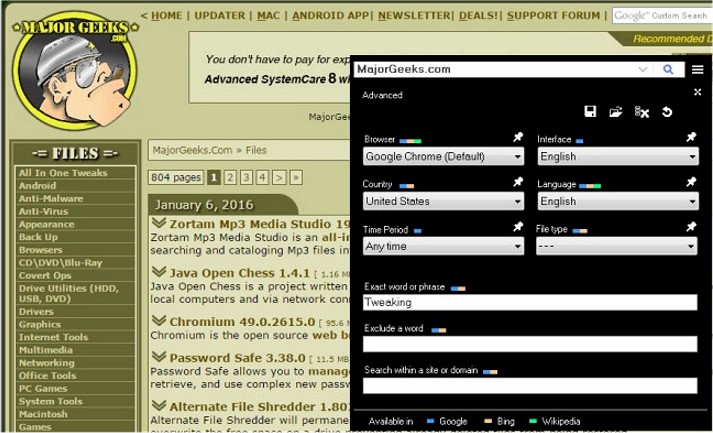
By allowing you to make queries by country, language, document type, time of creation, website, and excluding certain phrases, you get only the results you need, not all the other distracting, non-relevant results. In doing so, it sends queries to search engines, such as Chrome, Firefox, Opera and Explorer to achieve the best results.
This can be so useful when you are searching data for a research project on a specific subject - from anywhere in the world, you will get only the information that is essential to what you are working on. And then NooG will allow you to save history and certain advanced search combinations for reference at a later time.
Download @ http://www.majorgeeks.com/files/details/noog.html
By allowing you to make queries by country, language, document type, time of creation, website, and excluding certain phrases, you get only the results you need, not all the other distracting, non-relevant results. In doing so, it sends queries to search engines, such as Chrome, Firefox, Opera and Explorer to achieve the best results.
This can be so useful when you are searching data for a research project on a specific subject - from anywhere in the world, you will get only the information that is essential to what you are working on. And then NooG will allow you to save history and certain advanced search combinations for reference at a later time.
Download @ http://www.majorgeeks.com/files/details/noog.html
Comments
