


Password Cracker Unlocks Hidden Passwords
Posted by: Jon Ben-Mayor on 06/12/17 01:36 am
[
 Comments
]
Comments
]
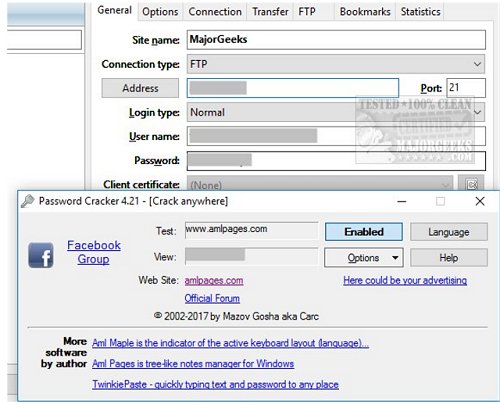
Password Cracker can recover passwords hidden behind asterisks in most applications and web browsers.
Password Cracker isn't without a few bugs. Although we did have the latest version, it kept prompting us to go to the homepage for the "latest version." They also provide links to download their other programs. There's an annoying "Here could be your advertising" flashing on the screen. By default, the program has no sounds but uses the computer beep which can be annoying if you start moving your mouse around while the program is open and looking to recover a password for you. You can disable this in options.
Your antivirus will most likely flag password Cracker and be blocked by Windows as an unknown program. As always, this is common with any program that recovers passwords. You may find that most security software considers this to be malicious activity and assumes someone is trying to steal your passwords.
Password Cracker was able to recover passwords from all applications we threw at it, quickly and for free.
Download @ http://www.majorgeeks.com/files/details/password_cracker.html
Password Cracker isn't without a few bugs. Although we did have the latest version, it kept prompting us to go to the homepage for the "latest version." They also provide links to download their other programs. There's an annoying "Here could be your advertising" flashing on the screen. By default, the program has no sounds but uses the computer beep which can be annoying if you start moving your mouse around while the program is open and looking to recover a password for you. You can disable this in options.
Your antivirus will most likely flag password Cracker and be blocked by Windows as an unknown program. As always, this is common with any program that recovers passwords. You may find that most security software considers this to be malicious activity and assumes someone is trying to steal your passwords.
Password Cracker was able to recover passwords from all applications we threw at it, quickly and for free.
Download @ http://www.majorgeeks.com/files/details/password_cracker.html
Comments
