


President Trump Still Using an Unsecure Smartphone
Posted by: Timothy Weaver on 02/14/17 07:32 am
[
 Comments
]
Comments
]
Concern is rising about the Presidents use of an unsecured smartphone.
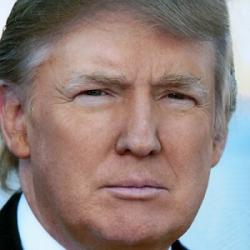 Two senators are calling for an investigation of Trumps use of his old Samsung Galaxy S3 which according to reports has not been updated for years.
“As you know, hackers often target smartphones in an attempt to obtain sensitive, personal information from the user,” wrote senators Tom Carper and Claire McCaskill.
“While it is important for the President to have the ability to communicate electronically, it is equally important that he does so in a manner that is secure and that ensures the preservation of presidential records. While it is important for the President to have the ability to communicate electronically, it is equally important that he does so in a manner that is secure and that ensures the preservation of presidential records,” the letter reads.
All it would take would be to click a link to a malicious site and the phone could be turned into a spy device. Such malware could be used to not only to get access to all the data on the phone, but also to record audio and video.
Concern has risen when pictures surfaced on social media showing Trump using his smartphone to discuss reactions to North Korea's testing of a missile.
Source: SoftPedia
Two senators are calling for an investigation of Trumps use of his old Samsung Galaxy S3 which according to reports has not been updated for years. “As you know, hackers often target smartphones in an attempt to obtain sensitive, personal information from the user,” wrote senators Tom Carper and Claire McCaskill.
“While it is important for the President to have the ability to communicate electronically, it is equally important that he does so in a manner that is secure and that ensures the preservation of presidential records. While it is important for the President to have the ability to communicate electronically, it is equally important that he does so in a manner that is secure and that ensures the preservation of presidential records,” the letter reads.
All it would take would be to click a link to a malicious site and the phone could be turned into a spy device. Such malware could be used to not only to get access to all the data on the phone, but also to record audio and video.
Concern has risen when pictures surfaced on social media showing Trump using his smartphone to discuss reactions to North Korea's testing of a missile.
Source: SoftPedia
Comments
