


Ransomware is Now Targeting Smart TV's
Posted by: Timothy Weaver on 12/28/16 09:56 am
[
 Comments
]
Comments
]
Researchers have been warning users about this possibility for years now and it finally has become reality.
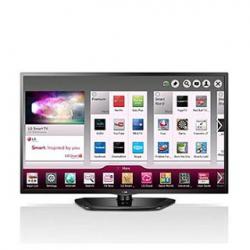 Software engineer Darren Cauthon has reported that his LG TV was hit with ransomware on Christmas day. The smart TV appears to be infected with a version of the Cyber.Police ransomware, also known as FLocker, Frantic Locker, or Dogspectus.
The hackers are demanding a ransom of $500. Cauthon contacted LG and was told that the only way he could reset to default status was to take it to an authorized dealer and pay a $340 bill. This angered Cauthon because factory reset procedures shouldn't be secret.
Cauthon stated that he probably got infected when "They [the relatives] said they downloaded an app to watch a movie. Halfway thru movie, tv froze. Now boots to this."
Back in November 2015, researchers from Symantec infected a smart TV with ransomware and came to the conclusion that it would be very difficult for a non-tech to clean the infection. The same test was conducted by researchers from Trend Micro, who arrived at the same conclusion.
In June 2016, Trend Micro reported that smart TVs were regularly targeted by ransomware, with the most active threat being Cyber.Police (FLocker)
Source: Bleeping Computer
Software engineer Darren Cauthon has reported that his LG TV was hit with ransomware on Christmas day. The smart TV appears to be infected with a version of the Cyber.Police ransomware, also known as FLocker, Frantic Locker, or Dogspectus.The hackers are demanding a ransom of $500. Cauthon contacted LG and was told that the only way he could reset to default status was to take it to an authorized dealer and pay a $340 bill. This angered Cauthon because factory reset procedures shouldn't be secret.
Cauthon stated that he probably got infected when "They [the relatives] said they downloaded an app to watch a movie. Halfway thru movie, tv froze. Now boots to this."
Back in November 2015, researchers from Symantec infected a smart TV with ransomware and came to the conclusion that it would be very difficult for a non-tech to clean the infection. The same test was conducted by researchers from Trend Micro, who arrived at the same conclusion.
In June 2016, Trend Micro reported that smart TVs were regularly targeted by ransomware, with the most active threat being Cyber.Police (FLocker)
Source: Bleeping Computer
Comments
