


Samsung announces Galaxy Tab 3 for kids
Posted by: Jon Ben-Mayor on 08/27/13 04:05 am
[
 Comments
]
Comments
]
Samsung Electronics announced the Samsung GALAXY Tab 3 Kids, a tablet built specifically for kids with the educational tools and safety features parents want.
 The Samsung Tomorrow blog page announces that the GALAXY Tab 3 Kids will come pre-loaded with top ranked kid’s apps and brand new Kid’s Store aimed at driving the educational possibilities of technology for kids. Pre-loaded content will include educational, games, entertainment and e-book apps. The tablet also offers parents the ability to select the apps they want their kids to have access to using the Application Manager.
Developed with kids’ best interests at the forefront, Samsung GALAXY Tab 3 Kids will include a Time Management feature that will allow parents to set specific time periods for use. When the designated use time is up, a password protected lock screen appears, requiring a parent or adult to enter the password to unlock the device. This tool will help parents ensure the time their children spend on smart devices is balanced.
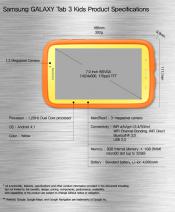
With 1.2GHz dual processor, 1GB RAM, 3 megapixel front-facing camera and 1.3 megapixel rear-facing camera, Samsung GALAXY Tab 3 Kids has the power and performance you would expect from a Samsung GALAXY tablet, designed to provide kids with an exciting, interactive experience.
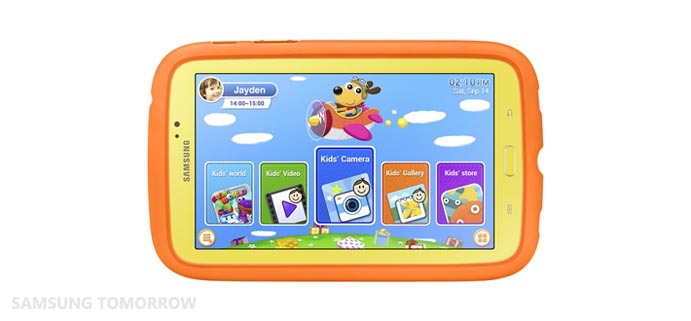
Since it is designed for kids; the device will come with a bright orange or yellow bumper case to protect from the day to day use of a child.
The Samsung Tomorrow blog page announces that the GALAXY Tab 3 Kids will come pre-loaded with top ranked kid’s apps and brand new Kid’s Store aimed at driving the educational possibilities of technology for kids. Pre-loaded content will include educational, games, entertainment and e-book apps. The tablet also offers parents the ability to select the apps they want their kids to have access to using the Application Manager.Developed with kids’ best interests at the forefront, Samsung GALAXY Tab 3 Kids will include a Time Management feature that will allow parents to set specific time periods for use. When the designated use time is up, a password protected lock screen appears, requiring a parent or adult to enter the password to unlock the device. This tool will help parents ensure the time their children spend on smart devices is balanced.
With 1.2GHz dual processor, 1GB RAM, 3 megapixel front-facing camera and 1.3 megapixel rear-facing camera, Samsung GALAXY Tab 3 Kids has the power and performance you would expect from a Samsung GALAXY tablet, designed to provide kids with an exciting, interactive experience.
Since it is designed for kids; the device will come with a bright orange or yellow bumper case to protect from the day to day use of a child.
Comments
