


School District Pays $28,000 Ransomware Demand
Posted by: Timothy Weaver on 01/10/17 09:06 am
[
 Comments
]
Comments
]
The Los Angeles Community College District (LACCD) was hit with ransomware on Dec. 30th with a demand of $28,000.
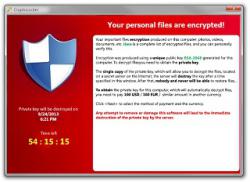 It was not released as to what the ransomware type was or how it got into their system, but it affected their entire network, including several services, such as faculty and staff email servers, voicemail services, and more.
The ransomware demand had a timeline of one week to come up with the ransom and since classes at the Los Angeles Valley College (LAVC) were to resume on Jan. 3rd, the school district decided to pay the demand.
After paying the ransom, the school districts received the decryption key and are in the process of restoring the locked files.
The school paid one of the highest ransoms to date. Other ransomware victims include the Lansing Board of Water & Light in Michigan, who agreed to pay $25,000, the University of Calgary, who paid $15,000, and the Horry County School District, who paid $8,500.
If caught, the criminals will be charged with a felony under a new law passed in September that would send the thieves to prison for four years.
Source: Bleeping Computer
It was not released as to what the ransomware type was or how it got into their system, but it affected their entire network, including several services, such as faculty and staff email servers, voicemail services, and more.The ransomware demand had a timeline of one week to come up with the ransom and since classes at the Los Angeles Valley College (LAVC) were to resume on Jan. 3rd, the school district decided to pay the demand.
After paying the ransom, the school districts received the decryption key and are in the process of restoring the locked files.
The school paid one of the highest ransoms to date. Other ransomware victims include the Lansing Board of Water & Light in Michigan, who agreed to pay $25,000, the University of Calgary, who paid $15,000, and the Horry County School District, who paid $8,500.
If caught, the criminals will be charged with a felony under a new law passed in September that would send the thieves to prison for four years.
Source: Bleeping Computer
Comments
