


Superfish adware preinstalled on Lenovo computers (Video)
Posted by: Timothy Weaver on 02/19/15 10:38 am
[
 Comments
]
Comments
]
Did you purchase a Lenovo computer between Sept. and Dec. of 2014? If so, you are probably aware of the Superfish adware that was installed by Lenovo on your machine.
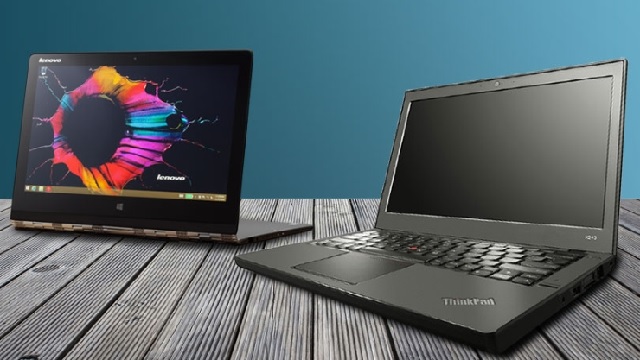
Superfish uses a man-in-the-middle certificate to insert ads into Web browsers and customers were not amused.
"Lenovo why are you adding adware to your [PCs] that hijacks search results on any browser?" one user wrote in a September forum post. "Is it not enough that customers buy a laptop from you?"
Last month, Lenovo promised to "temporarily remove" Superfish from new products until developers could release an update. On Thursday, the company announced that "Superfish has completely disabled server side interactions (since January) on all Lenovo products so that the product is no longer active. This disables Superfish for all products in market."
"We have thoroughly investigated this technology and do not find any evidence to substantiate security concerns," Lenovo continued. "To be clear, Superfish technology is purely based on contextual/image and not behavioral. It does not profile nor monitor user behavior. It does not record user information. It does not know who the user is. Users are not tracked nor re-targeted. Every session is independent. Users are given a choice whether or not to use the product. The relationship with Superfish is not financially significant; our goal was to enhance the experience for users. We recognize that the software did not meet that goal and have acted quickly and decisively."
Errata Security's Robert Graham said: Superfish "leaves the system open to hackers or NSA-style spies. The company claims it's providing a useful service, helping users do price comparisons. This is false. It's really adware. They don't even offer the software for download from their own website."
For information on removing Superfish download @ http://www.majorgeeks.com/files/details/superfish_removal_tool.html and watch the video below.
For more on Superfish, check out the Superfish Wikipedia page.
Superfish uses a man-in-the-middle certificate to insert ads into Web browsers and customers were not amused.
"Lenovo why are you adding adware to your [PCs] that hijacks search results on any browser?" one user wrote in a September forum post. "Is it not enough that customers buy a laptop from you?"
Last month, Lenovo promised to "temporarily remove" Superfish from new products until developers could release an update. On Thursday, the company announced that "Superfish has completely disabled server side interactions (since January) on all Lenovo products so that the product is no longer active. This disables Superfish for all products in market."
"We have thoroughly investigated this technology and do not find any evidence to substantiate security concerns," Lenovo continued. "To be clear, Superfish technology is purely based on contextual/image and not behavioral. It does not profile nor monitor user behavior. It does not record user information. It does not know who the user is. Users are not tracked nor re-targeted. Every session is independent. Users are given a choice whether or not to use the product. The relationship with Superfish is not financially significant; our goal was to enhance the experience for users. We recognize that the software did not meet that goal and have acted quickly and decisively."
Errata Security's Robert Graham said: Superfish "leaves the system open to hackers or NSA-style spies. The company claims it's providing a useful service, helping users do price comparisons. This is false. It's really adware. They don't even offer the software for download from their own website."
For information on removing Superfish download @ http://www.majorgeeks.com/files/details/superfish_removal_tool.html and watch the video below.
For more on Superfish, check out the Superfish Wikipedia page.
Comments
