


Tweaking.com - Hardware Identify Quickly Identifies System Hardware
Posted by: Jon Ben-Mayor on 11/29/17 02:02 am
[
 Comments
]
Comments
]
Tweaking.com - Hardware Identify can identify unknown hardware on your system. From the author of Tweaking.Com - Windows Repair.
For example, say you just reinstalled a computer and the device manager shows multiple unknown hardware with no drivers installed. Well, you don't know what drivers to find since you don't know what the hardware is. Now with Tweaking.com - Hardware Identify you can see what that hardware is.
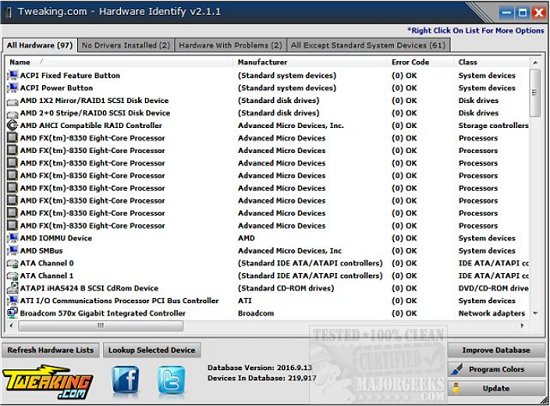
The program also has an easy option to help improve the device database. Once you have all drivers installed, you can have the program check for any hardware on the system that isn't in the database and submit it to Tweaking.com. Within a few days, the database will be updated, and the device list will grow with the help of users like you!
Download @ http://www.majorgeeks.com/files/details/tweaking_com_hardware_identify.html for the installer or here http://www.majorgeeks.com/files/details/tweaking_com_hardware_identify_portable.html for portable.
For example, say you just reinstalled a computer and the device manager shows multiple unknown hardware with no drivers installed. Well, you don't know what drivers to find since you don't know what the hardware is. Now with Tweaking.com - Hardware Identify you can see what that hardware is.
The program also has an easy option to help improve the device database. Once you have all drivers installed, you can have the program check for any hardware on the system that isn't in the database and submit it to Tweaking.com. Within a few days, the database will be updated, and the device list will grow with the help of users like you!
Download @ http://www.majorgeeks.com/files/details/tweaking_com_hardware_identify.html for the installer or here http://www.majorgeeks.com/files/details/tweaking_com_hardware_identify_portable.html for portable.
Comments
