


University of Calgary Pays $20,000 Ransom
Posted by: Timothy Weaver on 06/09/16 07:51 am
[
 Comments
]
Comments
]
The University of Calgary is the latest to fall victim to ransomware.
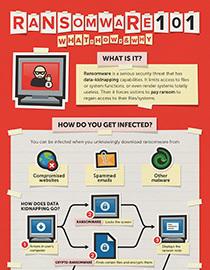 The University felt that their only choice was to pay the ransom....$20,000. Linda Dalgetty, Vice-President, Finance and Services, said that the organization decided to pay the ransom as “part of efforts to maintain all options” to resolve the issues affecting its systems.
The University Vice-President went on to say that paying the ransom is only the first step in restoring their files. She explains that “these decryption keys do not automatically restore all systems or guarantee the recovery of all data. A great deal of work is still required by IT to ensure all affected systems are operational again, and this process will take time.”
There is no indication that any personal information was lost during the process and that the attackers did not steal any University data. The type of ransomware was not published and the whole process to restore the files will likely take a week to accomplish.
Source: Security Week
The University felt that their only choice was to pay the ransom....$20,000. Linda Dalgetty, Vice-President, Finance and Services, said that the organization decided to pay the ransom as “part of efforts to maintain all options” to resolve the issues affecting its systems.The University Vice-President went on to say that paying the ransom is only the first step in restoring their files. She explains that “these decryption keys do not automatically restore all systems or guarantee the recovery of all data. A great deal of work is still required by IT to ensure all affected systems are operational again, and this process will take time.”
There is no indication that any personal information was lost during the process and that the attackers did not steal any University data. The type of ransomware was not published and the whole process to restore the files will likely take a week to accomplish.
Source: Security Week
Comments
