


Windows 7 Support Ends 2020
Posted by: Timothy Weaver on 02/22/17 06:54 am
[
 Comments
]
Comments
]
Microsoft has announced that it will end support for Windows 7 in 2020.
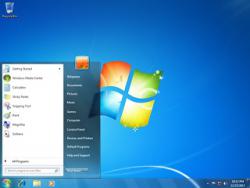 Windows 7 is still one of the most popular OS's and Microsoft has said it will continue to provide security updates. However, come January 2020, Microsoft will no longer provide patches for vulnerabilities.
Three years is not really that long when it comes to enterprise users who will need to upgrade and make sure that the upgrade doesn't cause current applications to break.
The whole process may be costly. First there is the actual upgrade with the cost of the new OS and the IT department time. And if the process goes past the deadline, there will be the cost to invest in a customized extended support program. Extended support can run into millions of dollars as many organizations and the government found when support for XP ended.
Here are some tips to keep secure when doing the upgrade:
• Segment the network by cutting off critical devices from others in the network. Take it a step further and remove any unnecessary devices from the network.
• Ensure that security controls on the devices are turned on (believe it or not, they're not necessarily enabled).
• Place third-party solutions on these devices to close the gaps on legacy systems and ensure that data is protected.
However, enterprise users should not find it as burdensome as upgrading from XP was as Windows 7 did not supported old DOS applications.
Source: Dark Reading
Windows 7 is still one of the most popular OS's and Microsoft has said it will continue to provide security updates. However, come January 2020, Microsoft will no longer provide patches for vulnerabilities. Three years is not really that long when it comes to enterprise users who will need to upgrade and make sure that the upgrade doesn't cause current applications to break.
The whole process may be costly. First there is the actual upgrade with the cost of the new OS and the IT department time. And if the process goes past the deadline, there will be the cost to invest in a customized extended support program. Extended support can run into millions of dollars as many organizations and the government found when support for XP ended.
Here are some tips to keep secure when doing the upgrade:
• Segment the network by cutting off critical devices from others in the network. Take it a step further and remove any unnecessary devices from the network.
• Ensure that security controls on the devices are turned on (believe it or not, they're not necessarily enabled).
• Place third-party solutions on these devices to close the gaps on legacy systems and ensure that data is protected.
However, enterprise users should not find it as burdensome as upgrading from XP was as Windows 7 did not supported old DOS applications.
Source: Dark Reading
Comments
