


Classic Shell Returns as Classic-Start
By Timothy Tibbettson 07/05/2023 |
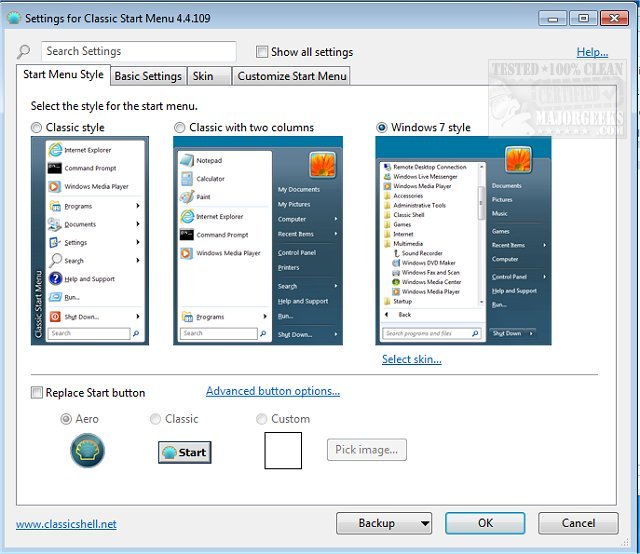
Like many, we were pleasantly surprised to see Classic-Start released continuing the Classic Shell project allowing you to easily change your Start Menu to the classic Windows 7 look with single or dual panes as well as allowing you to customize even further.
Classic Shell is Open Source and development stopped about a year prior, and the source code was released. Originally created by Ivo Beltchev, this fork is true to the first - to help improve productivity by allowing you to enhance the usability of Windows through a customizable start menu. You will be able to manage the way you use your PC via multiple style templates and skins. It also gives you quick access to recent, frequently-used, or pinned programs. You will also be able to quickly find any programs, settings, files, or documents with minimal keystrokes once you have it configured to your specific needs.
Classic-Start will also bring back the start button for Windows 10, 7, 8.1 along with the toolbar and status bar for Windows and Internet Explorer making it an excellent enhancement tool that for your daily Windows experience.
Download your free copy at https://www.majorgeeks.com/files/details/classic_start.html or click on the image below.
comments powered by Disqus
Classic Shell is Open Source and development stopped about a year prior, and the source code was released. Originally created by Ivo Beltchev, this fork is true to the first - to help improve productivity by allowing you to enhance the usability of Windows through a customizable start menu. You will be able to manage the way you use your PC via multiple style templates and skins. It also gives you quick access to recent, frequently-used, or pinned programs. You will also be able to quickly find any programs, settings, files, or documents with minimal keystrokes once you have it configured to your specific needs.
Classic-Start will also bring back the start button for Windows 10, 7, 8.1 along with the toolbar and status bar for Windows and Internet Explorer making it an excellent enhancement tool that for your daily Windows experience.
Download your free copy at https://www.majorgeeks.com/files/details/classic_start.html or click on the image below.
comments powered by Disqus
