


EncryptPad Enables Easy Viewing, Editing of Encrypted Text
By Timothy Tibbettson 06/15/2023 |
EncryptPad is a simple portable utility designed to allow you to view and edit symmetrically encrypted text.
It can be utilized through the command line or via a GUI and is intended to be a tool for the encryption/decryption of binary files and uses OpenPGP RFC 4880. In the case of EncryptPad, it differentiates itself from other OpenPGP software which their primary purpose is asymmetric encryption, where EncryptPad is symmetric encryption. Also, OpenPGP file format allows you to encrypt a file with another tool (gpg for example) implementing that format and then open it with EncryptPad and vice versa.
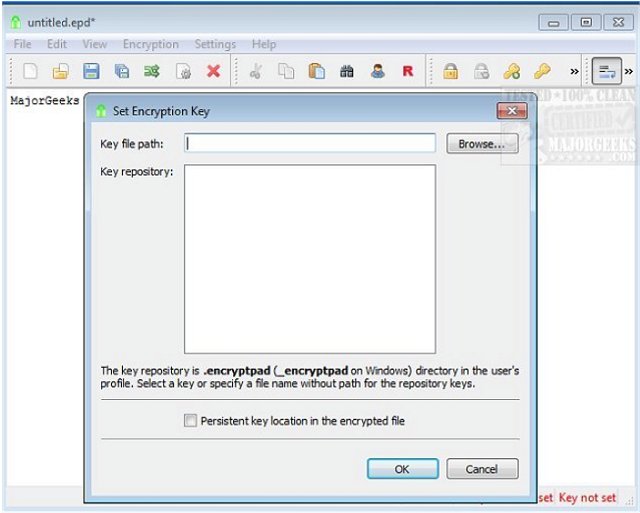
It is simple to use: EncryptPad is a combo text editor and encryption tool for binary files, but it can additionally save encrypted, compressed and integrity protected files as needed. It also can randomly generate key-files in addition to passphrases for double protection. EncryptPad utilizes the following cipher algorithms; CAST5, TripleDES, AES128, AES256 and hash algorithms; SHA-1, SHA-256, SHA-512.
EncryptPad includes many useful features including passphrase/key file protection, combination of a passphrase and key file, a random key file generator, a key repository in a hidden directory in the user's home folder, customizable passphrase generator helps create strong random passphrases, the path to a key file can be stored in an encrypted file, and so much more.
Download @ https://www.majorgeeks.com/files/details/encryptpad.html
comments powered by Disqus
It can be utilized through the command line or via a GUI and is intended to be a tool for the encryption/decryption of binary files and uses OpenPGP RFC 4880. In the case of EncryptPad, it differentiates itself from other OpenPGP software which their primary purpose is asymmetric encryption, where EncryptPad is symmetric encryption. Also, OpenPGP file format allows you to encrypt a file with another tool (gpg for example) implementing that format and then open it with EncryptPad and vice versa.
It is simple to use: EncryptPad is a combo text editor and encryption tool for binary files, but it can additionally save encrypted, compressed and integrity protected files as needed. It also can randomly generate key-files in addition to passphrases for double protection. EncryptPad utilizes the following cipher algorithms; CAST5, TripleDES, AES128, AES256 and hash algorithms; SHA-1, SHA-256, SHA-512.
EncryptPad includes many useful features including passphrase/key file protection, combination of a passphrase and key file, a random key file generator, a key repository in a hidden directory in the user's home folder, customizable passphrase generator helps create strong random passphrases, the path to a key file can be stored in an encrypted file, and so much more.
Download @ https://www.majorgeeks.com/files/details/encryptpad.html
comments powered by Disqus
