


Fun with CMD: 5 Windows command-line tools for music, video, and more
By selma čitakovićon 12/13/2025 |
You don't often see "fun" and "CMD" in a sentence together. After all, CLI tools are most often focused on development, productivity, and various utilities. That doesn't exactly sound like a fun time to me. However, there are some excellent Windows command-line apps for entertainment. You can find music players, video players, media downloaders, ebook readers, and more.
I've singled out five of my favorites that are suitable for various hobbies. Most importantly, they're pretty straightforward, and you don't have to be a command-line wizard to use them. You can get all these tools from MajorGeeks for free, of course.
Let's get into it!
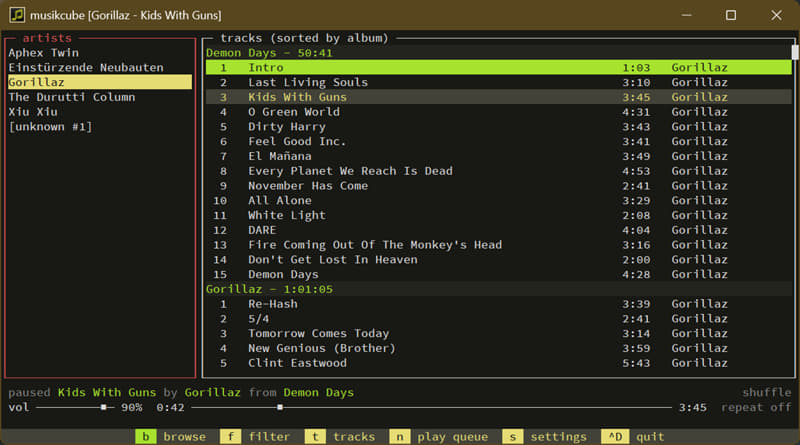
Musikcube - Audio player
Musikcube is a neat little terminal-based music player you can run on Windows, macOS, and Linux. You can even use it on a Raspberry Pi! It's written in C++.
It has a very minimalist aesthetic, but it's still pretty easy to use. You'll find the most important keyboard shortcuts at the bottom of the terminal. First, you'll have to set up music paths to the folders you want Musikcube to target. After that, you can visit your library with "a" and browse through your albums, artists, and tracks. You can also filter it by genres.
Moreover, it has an equalizer, visualizers, a repeat mode, gapless and crossfade modes, and all the other basic features you'd expect from an audio player. You can create playlists and link your last.fm account as well.
As a big fan of the Winamp classic player, Musikcube scratches that same nostalgic itch in my brain. It's lightweight, straightforward, and just plain charming.
mpv - Media player
mpv is a powerful media player that supports a broad range of audio and video codecs, video file formats, subtitles, and raw streams. It relies on ffmpeg and libav, so it can decode pretty much anything. It's based on the much older MPlayer and mplayer2.
Despite its humble appearance, it supports high-quality video output based on Vulkan, OpenGL, and D3D11. You can use keyboard shortcuts for simple adjustments mid-playback. For example, you can change the contrast, brightness, gamma, saturation, subtitle delay, etc.
But mpv is also capable of much more. You can specify audio and video output drivers, set up chains of audio and video filters, and encode files from one format/codec to another.
Understandably, it can be a bit demanding on older hardware. You can switch to a lower-impact preset to combat this.
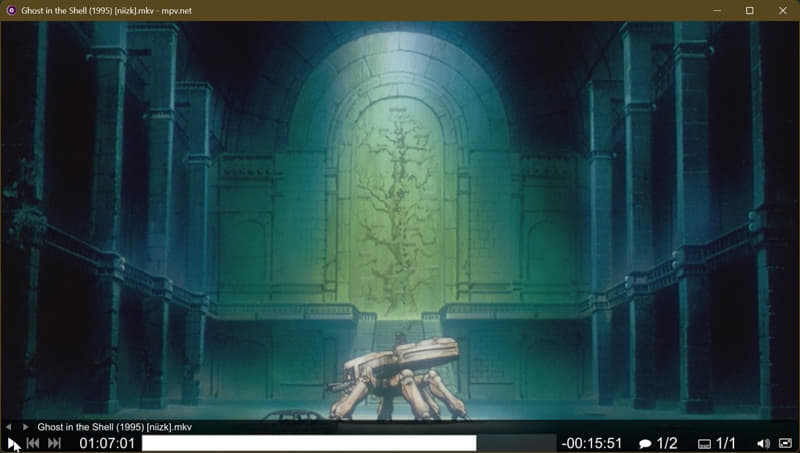
Here's a screenshot of me playing Ghost in the Shell with it.
yt-dlp - Audio & video downloader
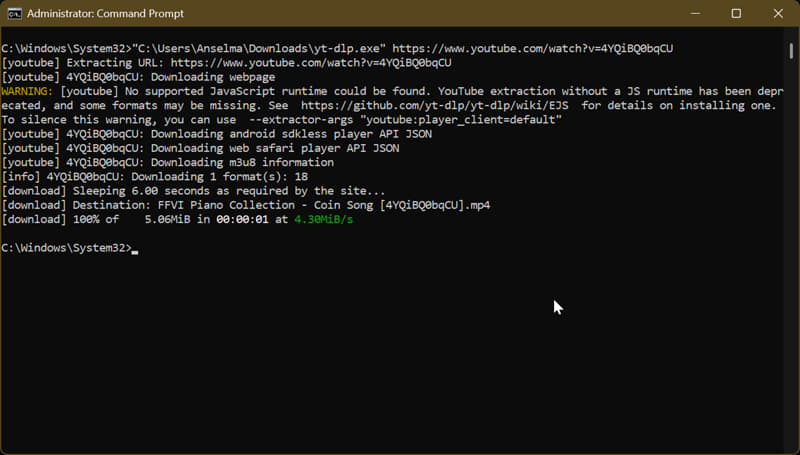
If you've ever used youtube-dl to get videos from YouTube, yt-dlp will seem familiar to you. It's a youtube-dl fork with even more features. It can extract audio and video files from thousands of websites. You can also customize the download quality, format, and metadata.
On top of that, you can:
- Skip sponsored sections in YouTube videos
- Download live streams from the start
- Save all uploads from YouTube channels at once
- Split videos by chapters
- Download by time ranges, and more.
This might all sound a bit overwhelming, but you can find detailed instructions for all these actions on GitHub. If you need something specific, you can just search for it. It's also updated pretty regularly, so I recommend you run "yt-dlp -U" every time you start it up.
epr - EPUB reader
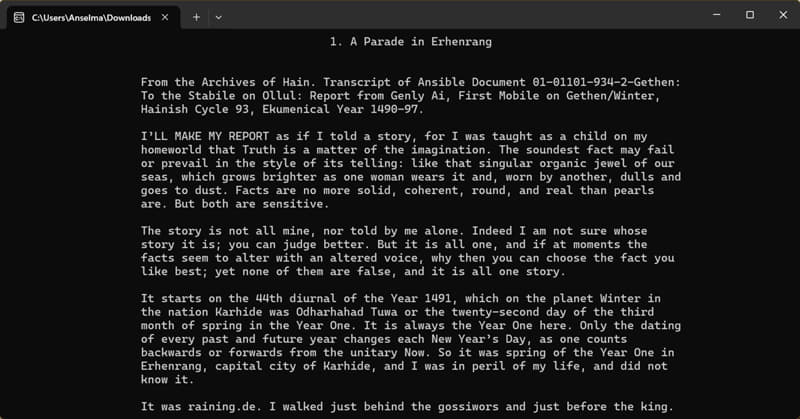
epr is a CLI ebook reader written in Python 3.6. It's a very simple app, with a minimal, old-school look. I dig the dark color scheme. It supports EPUB and EPUB3 files only, at the moment.
Moreover, you can adjust the text area width, and it adapts to the terminal as you resize it. It also remembers your last read file and reading state for every book. You can open images as well, by pressing "o" on pages with them.
And that's pretty much it! It can't compete with more versatile, full-fledged ebook readers. It only supports the Latin alphabet and horizontal left-to-right text, among other limitations. Still, if you want something light and simple, straight from your terminal, this is it.
FFmpeg - Multimedia converter
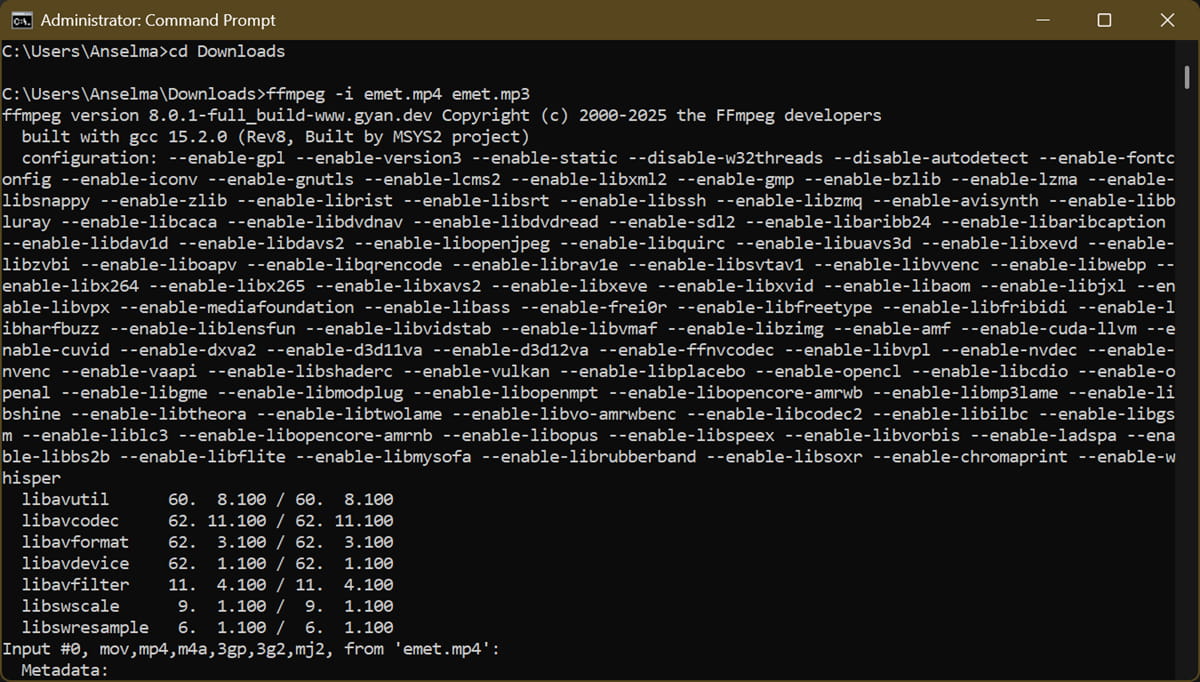
Yeah, FFmpeg doesn't exactly belong in the "fun" category, but given the rest of this list, I had to include it. If you're handling multiple audio and video file formats, it's a must-have. This command-line tool can convert multimedia files between various formats, even really obscure ones.
For a simple conversion from MP4 to AVI, you can type in: ffmpeg -i input.mp4 output.avi. Or, if you want to set the bitrate of the output file to 64 kbit/s: ffmpeg -i input.avi -b:v 64k -bufsize 64k output.mp4
You can rely on it for editing tasks, like cutting, trimming, and merging audio and video clips. Or, you can use it for transcoding, streaming, applying filters,... The official documentation page covers everything.
Hopefully, this list has inspired you to look into other uses for command-line tools. They're not all about "streamlining workflows" and "automating tasks." You can use them for reading, listening, and watching movies as well. Why not give them a try?

|
selma citakovic
Selma is a gamer, geek and gremlin hunter with a passion for cyber security and smashing Windows bugs before they bite. She’s IBM-certified, loves real freeware, despises bloatware, and powers most of her troubleshooting with an unhealthy amount of coffee. |
comments powered by Disqus
