


How to Fix a Laptop That's Plugged in but Not Charging
By Timothy Tibbettson 06/15/2023 |
If your laptop is plugged in, but you see a message saying that it's not charging, here are some steps you can try to resolve this problem.
1: Remove and Replace the Battery
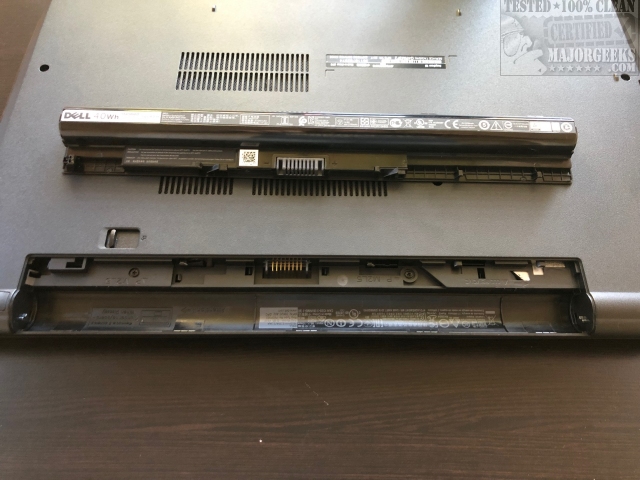
One easy test is to remove and replace your battery, and it works more often than not. Shut down, unplug the power cord and remove the battery. If you have an eraser nearby, it won't hurt to clean the metal connectors on the battery and laptop gently.
2: Uninstall Battery Drivers
Before we begin, if you have enough battery life to run your computer for 5 minutes, we recommend you try this step on battery power.
Open your Device Manager by pressing the Windows Key + S, type in and click on Device Manager.
Under Batteries, right-click on each item and click on Uninstall Device.
Shut down, unplug, remove the battery. Put the battery back in, plug in and boot up.
3: Everything Else
Don't overlook this section if the first two steps didn't help because many guides like this one completely miss this critical step; most manufacturers offer diagnostics programs and proprietary troubleshooting specific to your laptop and battery. Google the name of your laptop and battery diagnostics and click on the link that goes to your computer manufacturer.
In many cases, most manufacturers also offer additional troubleshooting pages specific to their laptops including booting into the BIOS, for example. Speaking of the BIOS, we've also seen BIOS updates that resolve the not charing error. These are just a few of hundreds of possibilities among many brands and fixes that you won't find in a typical how-to page like this one.
If all else fails, we need to consider a failing battery or power cord.
Similar:
How to Create a Notification That Your Laptop Battery Is Charged on Windows 10
How-To Change and Customize the Function Keys on Dell Laptops
Microsoft Surface or Laptop Won't Turn on
comments powered by Disqus
1: Remove and Replace the Battery
One easy test is to remove and replace your battery, and it works more often than not. Shut down, unplug the power cord and remove the battery. If you have an eraser nearby, it won't hurt to clean the metal connectors on the battery and laptop gently.
2: Uninstall Battery Drivers
Before we begin, if you have enough battery life to run your computer for 5 minutes, we recommend you try this step on battery power.
Open your Device Manager by pressing the Windows Key + S, type in and click on Device Manager.
Under Batteries, right-click on each item and click on Uninstall Device.
Shut down, unplug, remove the battery. Put the battery back in, plug in and boot up.
3: Everything Else
Don't overlook this section if the first two steps didn't help because many guides like this one completely miss this critical step; most manufacturers offer diagnostics programs and proprietary troubleshooting specific to your laptop and battery. Google the name of your laptop and battery diagnostics and click on the link that goes to your computer manufacturer.
In many cases, most manufacturers also offer additional troubleshooting pages specific to their laptops including booting into the BIOS, for example. Speaking of the BIOS, we've also seen BIOS updates that resolve the not charing error. These are just a few of hundreds of possibilities among many brands and fixes that you won't find in a typical how-to page like this one.
If all else fails, we need to consider a failing battery or power cord.
Similar:
comments powered by Disqus
