


How to Fix Error Code 0xc000007b in Windows 10, 8, 7, and Vista
By Timothy Tibbettson 04/22/2025 |
Here's how to fix error code 0xc000007b in Windows when getting an error message similar to "the application was unable to start correctly (0xc000007b). Click OK to close the application."
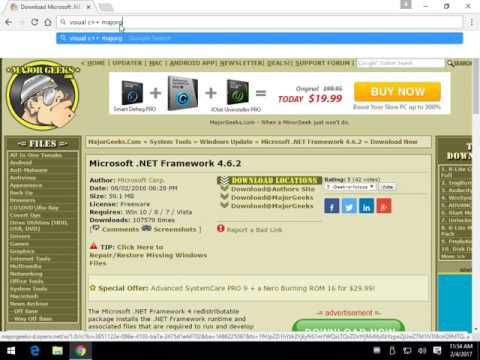
Odds are your issue is with Microsoft .Net Framework. Here's how to diagnose what version of .Net Framework is installed, how to update it, fix it or remove it. Odds are that's your problem, but we also provided a few other possibilities because no two computers problems are the same. Links needed are below.
We do suggest that you back up the registry before you proceed. Here's how How to Back up or Restore the Windows Registry.
Microsoft .Net Framework: https://www.majorgeeks.com/files/details/microsoft_net_framework_4_5_final.html
Microsoft .NET Framework Repair Tool: https://www.majorgeeks.com/files/details/microsoft_net_framework_repair_tool.html
Microsoft .NET Framework Cleanup Tool:
https://www.majorgeeks.com/files/details/microsoft_net_framework_cleanup_tool.html
Driver Booster: https://www.majorgeeks.com/files/details/iobit_driver_booster.html
If you don't want to go into your registry ASoft .NET Version Detector can determine what version of .Net is installed.
comments powered by Disqus
Odds are your issue is with Microsoft .Net Framework. Here's how to diagnose what version of .Net Framework is installed, how to update it, fix it or remove it. Odds are that's your problem, but we also provided a few other possibilities because no two computers problems are the same. Links needed are below.
▶
We do suggest that you back up the registry before you proceed. Here's how How to Back up or Restore the Windows Registry.
Microsoft .Net Framework: https://www.majorgeeks.com/files/details/microsoft_net_framework_4_5_final.html
Microsoft .NET Framework Repair Tool: https://www.majorgeeks.com/files/details/microsoft_net_framework_repair_tool.html
Microsoft .NET Framework Cleanup Tool:
https://www.majorgeeks.com/files/details/microsoft_net_framework_cleanup_tool.html
Driver Booster: https://www.majorgeeks.com/files/details/iobit_driver_booster.html
If you don't want to go into your registry ASoft .NET Version Detector can determine what version of .Net is installed.
comments powered by Disqus
