


JSoft PDF Reducer Provides Straightforward PDF Management
By Timothy Tibbettson 06/15/2023 |
JSoft PDF Reducer is a simple option for compressing, merging, and splitting PDF files easily.
You are also permitted to rearrange, delete pages, add or erase text as well as securing your PDFs with a Watermark, password and an electronic signature. It is set up in wizard format, so you are guided through the steps, each of which has clearly outlined options to choose from.
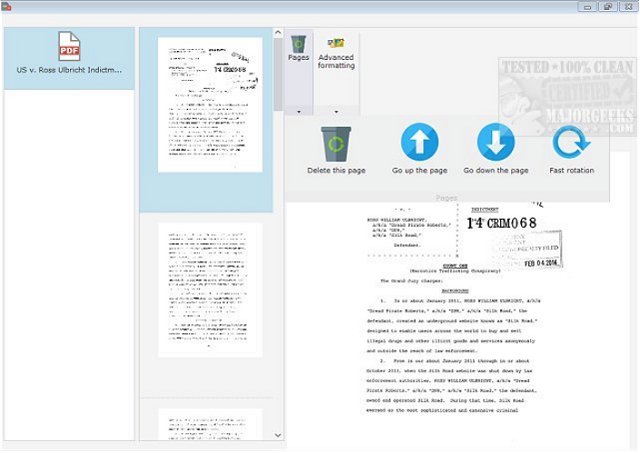
JSoft PDF Reducer's UI is minimalistic but modern in appearance, and the fact that it walks you through the steps makes it an excellent choice for even the most novice user. In order for PDF Reducer to compress your files efficiently, it comes preconfigured for maximum compression depending on the destination of your document like displaying on the screen or for printing. And the fact that there is built in PDF protections included like adding a watermark to thwart others using your documents without permission as well as password protection that will require a correct password for opening or editing of your PDF files. It worked fast during testing with no hangups whatsoever - a nicely done PDF utility.
Download @ https://www.majorgeeks.com/files/details/jsoft_pdf_reducer.html
You are also permitted to rearrange, delete pages, add or erase text as well as securing your PDFs with a Watermark, password and an electronic signature. It is set up in wizard format, so you are guided through the steps, each of which has clearly outlined options to choose from.
JSoft PDF Reducer's UI is minimalistic but modern in appearance, and the fact that it walks you through the steps makes it an excellent choice for even the most novice user. In order for PDF Reducer to compress your files efficiently, it comes preconfigured for maximum compression depending on the destination of your document like displaying on the screen or for printing. And the fact that there is built in PDF protections included like adding a watermark to thwart others using your documents without permission as well as password protection that will require a correct password for opening or editing of your PDF files. It worked fast during testing with no hangups whatsoever - a nicely done PDF utility.
Download @ https://www.majorgeeks.com/files/details/jsoft_pdf_reducer.html
