


KeepMouseSpeedOK Helps Prevent Unwanted Mouse Pointer Changes and More
By Timothy Tibbettson 06/15/2023 |
KeepMouseSpeedOK allows you to have control over your mouse's pointer speed as well as locking it to prevent unwanted changes from occurring.
This utility is in response to some Windows systems that sometimes have unwanted mouse pointer speed changes and is intended to help resolve this fluctuating pointer speed issue. But it is also useful for those users that wish to adjust speeds often as it resides down in the systray so you can make those adjustments in the fastest way possible.
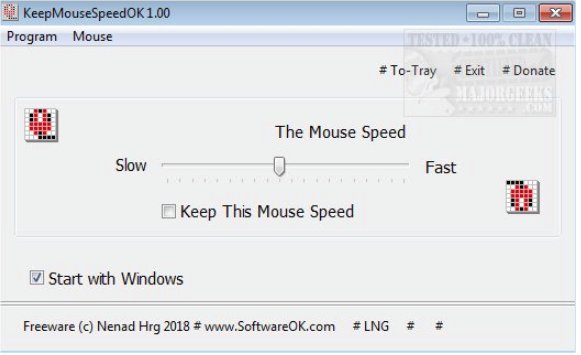
KeepMouseSpeedOK will be right at home with novice and experienced users alike since it is so simple to use. You have access to a clean interface that mirrors the mouse settings provided by your Windows system you also have quick access to mouse properties directly from the interface for making additional changes if desired. Another nice and useful app from SoftwareOK that helps rectify a common issue.
Download @ https://www.majorgeeks.com/files/details/keepmousespeedok.html
comments powered by Disqus
This utility is in response to some Windows systems that sometimes have unwanted mouse pointer speed changes and is intended to help resolve this fluctuating pointer speed issue. But it is also useful for those users that wish to adjust speeds often as it resides down in the systray so you can make those adjustments in the fastest way possible.
KeepMouseSpeedOK will be right at home with novice and experienced users alike since it is so simple to use. You have access to a clean interface that mirrors the mouse settings provided by your Windows system you also have quick access to mouse properties directly from the interface for making additional changes if desired. Another nice and useful app from SoftwareOK that helps rectify a common issue.
Download @ https://www.majorgeeks.com/files/details/keepmousespeedok.html
comments powered by Disqus
