


Outlook Down? Microsoft 365 Outage Hits Teams, SharePoint, and Copilot
By Jim McMahonon 11/12/2026 |
If Outlook won't load your inbox, Teams isn't connecting, or Microsoft 365 Copilot has gone quiet, you have plenty of company. A widespread Microsoft 365 outage on November 12 is disrupting access to several of Microsoft's cloud services, with users in any region potentially affected.
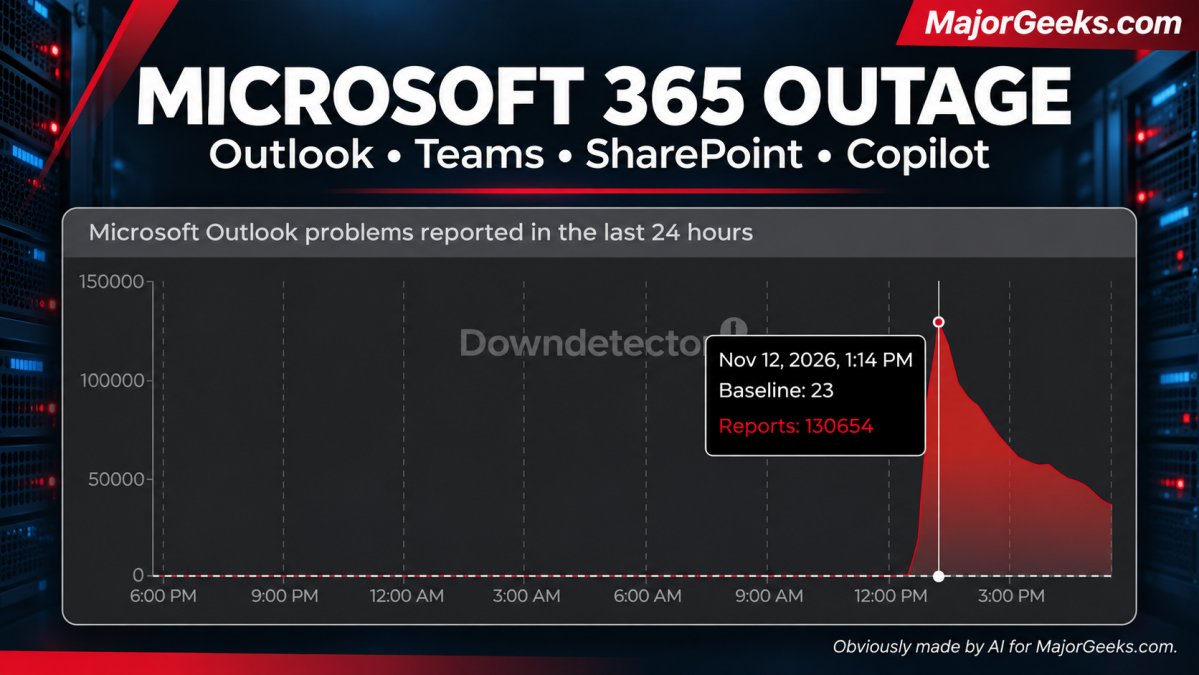
Microsoft has confirmed the disruption through its Microsoft 365 Status account on X. Outlook reports on Downdetector reached 130,654 at the peak shown in our screenshot before falling substantially. That's a count of problem reports, not a complete tally of everyone affected.
The decline is encouraging, but it doesn't mean everything is back. It could just mean people slowed thier reporting. In the latest Microsoft update, recovery efforts were still underway, and the company had not confirmed full restoration or provided a firm completion time. In fact, the report sounds a little discouraging, but honest.
We’re opening all available pathways to restore service, as our actions taken thus far have not provided the anticipated relief. We found a core process on affected servers is becoming overwhelmed, causing capacity loss. To validate a potential recovery, we're isolating a portion of infrastructure, restarting affected components, and reintroducing traffic to confirm the services remain stable before applying the change more broadly. More info under EX1550543 and MO1550821 in the Microsoft 365 admin center, as well as https://t.co/pYdahqxDv3 if the admin center is not available to you.
— Microsoft 365 Status (@MSFT365Status) November 12, 2026
What's Affected?
Microsoft's incident notices identify potential problems with Exchange Online, Microsoft Teams, SharePoint Online, Microsoft 365 Copilot, and Microsoft Defender XDR. Exchange Online is the cloud email service behind many work and school Outlook accounts.
For affected users, that can mean an inbox that won't load, email connection errors, unavailable collaboration tools, or failed requests to Copilot (Maybe they can make that a full time feature?
 )
This isn't something you can dodge by opening Outlook in a browser. Microsoft says multiple mailbox connection methods are potentially affected, including Outlook on the web and connections used by desktop and mobile clients.
What Went Wrong?
Microsoft initially reported elevated load across parts of its infrastructure. It later clarified that this wasn't an overall surge in traffic. Instead, numerous servers had unexpectedly become unavailable, leaving the remaining servers to handle their workload.
Think of a supermarket where several checkout lanes suddenly close. The number of shoppers hasn't changed, but the remaining lanes now have much longer lines.
Microsoft subsequently identified servers failing automated health checks. These checks help determine whether a server is healthy enough to handle requests. In this incident, failed checks were causing servers to become unavailable, reducing capacity and putting more pressure on the systems still running.
That explains the immediate failure pattern. It does not yet explain exactly what started it. Microsoft has been investigating the component processing that now. A final root cause has not been confirmed.
What Is Microsoft Doing About It?
Microsoft has redistributed connection traffic, moved traffic away from affected infrastructure, restarted servers, and paused deployments and configuration changes while investigating.
An alternative health-check method successfully brought a subset of affected servers back into service, prompting Microsoft to expand that approach. However, a subsequent update said the recovery efforts had not delivered the expected relief. Engineers were isolating part of the affected infrastructure to test recovery with less traffic flowing through it.
In other words, Microsoft has made progress getting some servers back, but that has not yet translated into a confirmed recovery for everyone. You can semi-chart their progress on Downdetector, for those of yu that like to watch graphs.
What Should Users Do?
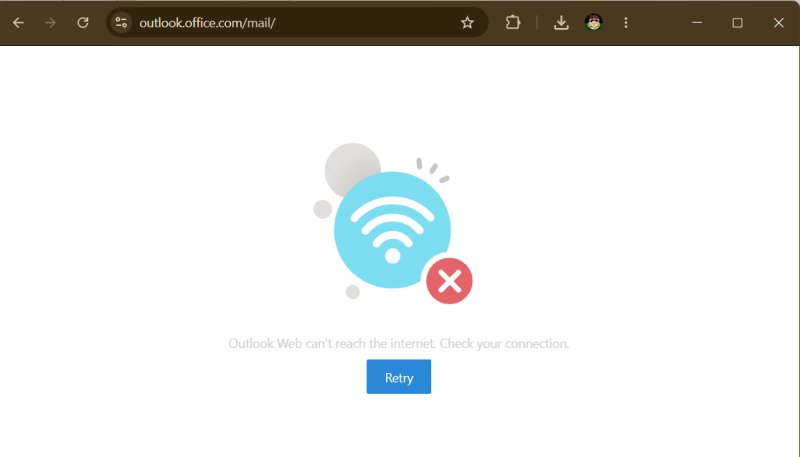
For now, resist the temptation to rebuild your Outlook profile, reinstall Office, or start changing router settings; it's not you. Although the error message seems to indicate its your internet connection
If you have locally saved documents, you are able to keep working in desktop applications. Access to cloud-only files, shared documents, and online features will depend on which services remain available to your account.
For urgent communication, use another working channel. If an email appears stuck or fails to send, check your Outbox and Sent Items before repeatedly resending it.
Work and school users should also follow their organization's IT updates. Administrators can check Health > Service health in the Microsoft 365 admin center, where Microsoft is tracking the broader disruption under MO1550821 and Exchange Online connectivity problems under EX1550543. Though, to be honest, I suspect if this is a problem for you, you won't be able to get there either. Let us know in the comments if that is true or not.
What Can Users Expect Next?
Recovery may be uneven as Microsoft returns servers to service and verifies that they can handle traffic. You may find one application working before another, or experience intermittent errors while that work continues. That's a reasonable expectation during recovery, rather than a timetable Microsoft has promised.
Falling Downdetector reports suggest fewer people are reporting trouble than at the peak. They don't establish that every mailbox, Teams session, or SharePoint connection is working again.
For now, the practical advice is to save your work, use an alternative communication method when necessary, and watch Microsoft's official status updates. This is one of those occasions when troubleshooting your own computer can wait.

|
Jim McMahon
Jim McMahon, aka Corporal Punishment, is the founder of MajorGeeks.com. He has spent decades testing software, troubleshooting Windows, and helping users cut through the nonsense. He loves real freeware, hates bloatware, and runs on caffeine, sarcasm, and questionable choices. |
comments powered by Disqus
