


Nationwide Emergency Test Alert Wednesday 10/4/23 at 2:20 PM ET
By Jon Ben-Mayoron 10/02/2023 |
According to a FEMA press release, a nationwide test of the Emergency Alert System (EAS) and Wireless Emergency Alerts (WEA) will be conducted by FEMA and the Federal Communications Commission (FCC). The test will be divided into two parts and will start on Wednesday, October 4, at around 2:20 p.m. ET.
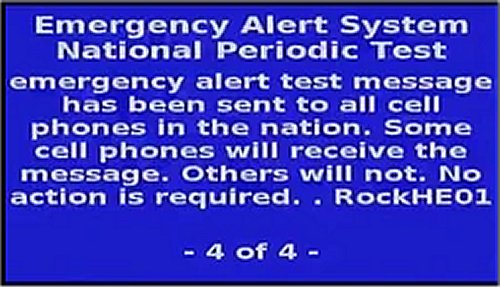
Consumer cell phones will receive the WEA (Wireless Emergency Alerts) portion of the test, which will be the third nationwide test. The test message will be displayed in either English or Spanish, depending on the language settings of the wireless handset. The EAS (Emergency Alert System) portion of this test will be transmitted to radios and TVs; this will be the seventh nationwide EAS test.
FEMA and the FCC collaborate with EAS participants, wireless providers, emergency managers, and other stakeholders to minimize confusion and ensure public safety. The goal of the test is to ensure that the systems remain effective in warning the public about emergencies, especially those on the national level. In the event of severe weather or other significant events, the backup testing date is October 11.
The broadcast of the test will only last for 30 minutes. If you prefer your phone to remain silent, you can turn it off. Regrettably, there is no option to disable this type of test directly within your phone.
comments powered by Disqus
Consumer cell phones will receive the WEA (Wireless Emergency Alerts) portion of the test, which will be the third nationwide test. The test message will be displayed in either English or Spanish, depending on the language settings of the wireless handset. The EAS (Emergency Alert System) portion of this test will be transmitted to radios and TVs; this will be the seventh nationwide EAS test.
FEMA and the FCC collaborate with EAS participants, wireless providers, emergency managers, and other stakeholders to minimize confusion and ensure public safety. The goal of the test is to ensure that the systems remain effective in warning the public about emergencies, especially those on the national level. In the event of severe weather or other significant events, the backup testing date is October 11.
The broadcast of the test will only last for 30 minutes. If you prefer your phone to remain silent, you can turn it off. Regrettably, there is no option to disable this type of test directly within your phone.
comments powered by Disqus
