


New on MajorGeeks: Inviska MKV Extract
By Timothy Tibbettson 07/21/2023 |
Inviska MKV Extract is a cross-platform utility for extracting elements from MKV files. Requires MKVToolnix.
The data that Inviska MKV Extract allows you to extract includes video/audio, and subtitle tracks, attachments (fonts, images, etc.), chapters, cue sheets, tags, cues, and timestamps. After adding a file, the elements will be read and displayed allowing for efficient selection. There is also a batch extract feature that will enable you to extract data from groups of files, for example, you could extract the subtitle tracks and attachments from all added files.
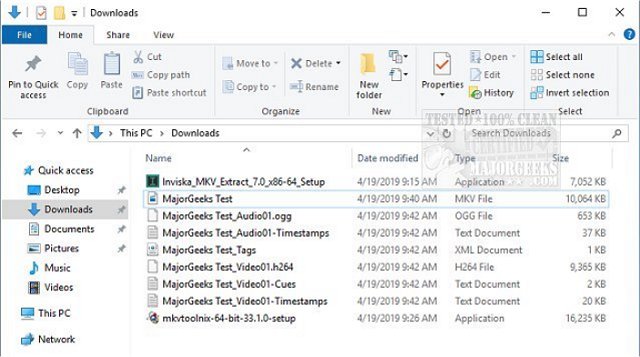
To extract elements from MKV files:
Add the MKV files you want to process by dropping them into the MKV Extract window, or by selecting File -> Add Files.
All elements present in the files will be read and displayed in the File List. The Batch Extract box will also be populated with a list of elements that are in at least one of the added files. Check the boxes next to the elements you want to extract, as shown here.
If you wish for the extracted elements to go to a specific directory, enter the directory path in the Output Directory box, or leave it blank to output elements to the source file directory.
Click the Begin button to begin extraction.
Note that, while cues can be written for all tracks, they are generally only present for video tracks, so in most cases, no cues for audio and subtitle tracks will be output.
Inviska MKV extract has the following features:
Batch extract mode to easily extract the same element from multiple files.
Displays track name and language for easy track identification.
Displays attachment filenames.
Progress meter showing current file and overall progress.
Extract fonts individually or as a group.
Works with MKV and MKA files.
Works with 32bit and 64bit MKVToolNix.
Supports extraction of all MKV elements (tracks, attachments, chapters, cue sheets, tags, cues, and timestamps).
Download @ https://www.majorgeeks.com/files/details/inviska_mkv_extract.html
comments powered by Disqus
The data that Inviska MKV Extract allows you to extract includes video/audio, and subtitle tracks, attachments (fonts, images, etc.), chapters, cue sheets, tags, cues, and timestamps. After adding a file, the elements will be read and displayed allowing for efficient selection. There is also a batch extract feature that will enable you to extract data from groups of files, for example, you could extract the subtitle tracks and attachments from all added files.
To extract elements from MKV files:
Inviska MKV extract has the following features:
Download @ https://www.majorgeeks.com/files/details/inviska_mkv_extract.html
comments powered by Disqus
