


Remove Telemetry-Win10 Upgrade Updates Script Helps Prevent the Windows 10 Upgrade
By Timothy Tibbettson 06/15/2023 |
Remove Telemetry-Win10 Upgrade Updates Script will help get rid of all the bad Windows 7 updates that contain telemetry or nags to update to Windows 10.
Simply download the script, right click on it then choose "Run as Administrator."
Uninstallation of all the updates can take a long time so just let it run, and once you see that there is no drive activity (usually in about 15-20 mins), that would indicate that the uninstallation of all those bad updates was completed.
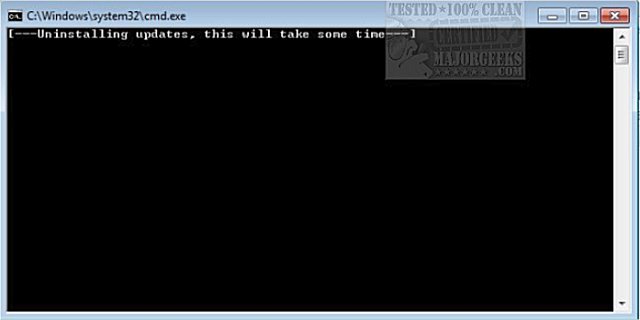
Reboot your computer and then check for updates once more, the updates which you just uninstalled will now re-appear on Window Updates, right click every one of them and select Hide as those are the nasty ones you don't want.
Alternatively, you can disable Windows Updates entirely by using the Simplix Update Pack (only for Windows 7) which contains all the latest updates minus the telemetry/Windows 10 upgrade ones.
The above script uninstalls the following updates:
KB2505438 (Although it claims to fix performance issues, it often breaks fonts)
KB2670838 (The EVIL Update, breaks AERO on Windows 7 and makes some fonts on websites fuzzy, Windows 7 specific update only, do not install IE10 or 11 otherwise it will be bundled with them, IE9 is the max version you should install)
KB2882822 (Very fishy update that just popped up with not enough detail about it)
KB2902907 (Microsoft Security Essentials)
KB2952664 ("Get Windows 10" Assistant)
KB2976978 (Windows 10 Upgrade preparation for Windows 8)
KB2977759 (Windows 10 Upgrade preparation for Windows 7)
KB2990214 (Windows 10 Upgrade preparation for Windows 7)
KB3012973 (Force Trigger Download and Install of Windows 10)
KB3015249 (Adds telemetry points to consent.exe in Windows 7 & Windows 8)
KB3021917 (Windows 10 Upgrade preparation + Telemetry)
KB3022345 (Telemetry)
KB3035583 (GWX Update installs the "Get Windows 10" app in Windows 7 & Windows 8)
KB3042058 (Microsoft claims its a security update but it contains Winlogon Spying)
KB3044374 (Windows 10 Upgrade for Windows 8 systems)
KB3050267 (Windows 10 upgrade preparation - also adds the option in GPEDIT to disable the Win 10 upgrade altogether, may want to actually install this)
KB3064683 (Windows 10 Upgrade for Windows 8)
KB3065987 (Windows 10 Upgrade for Windows 7)
KB3065988 (Windows 10 Upgrade for Windows 8)
KB3068708 (Telemetry)
KB3072318 (Windows 10 Upgrade preparation for Windows 8)
KB3074677 (Windows 10 Upgrade preparation)
KB3075249 (Telemetry)
KB3075851 (Windows 10 Upgrade for Windows 7)
KB3075853 (Windows 10 Upgrade for Windows 8)
KB3080149 (Telemetry)
KB3081437 (Windows 10 Upgrade preparation)
KB3081454 (Windows 10 Upgrade preparation)
KB3081954 (Telemetry Update for Windows 7)
KB3083324 (Windows 10 Upgrade preparation for Windows 7)
KB3083325 (Windows 10 Upgrade preparation for Windows 8)
KB3083710 (Update for the Windows Update client with sketchy details for Windows 7, see this thread)
KB3083711 (Update for the Windows Update client with sketchy details for Windows 8, see this thread)
KB3086255 (Flagged as an Important update. It disables SafeDisc games in Windows Vista, 7, and 8/8.1)
KB3088195 (Miscorosft Claims it's a security update but also has a key logger on the Kernel Level)
KB3090045 (Windows 10 Upgrade Update for Windows 7/8)
KB3093983 (Microsoft claims it's a security update but it contains IE spying)
KB3102810 (Fixes an issue regarding long wait while searching for Windows Updates but also has Windows 10 Upgrade preparation for Windows 7)
KB3102812 (Fixes an issue regarding long wait while searching for Windows Updates but also has Windows 10 Upgrade preparation for Windows 8)
KB3107998 (Removes Lenovo USB Blocker)
KB3112336 (Windows 10 Upgrade for Windows 8)
KB3112343 (Windows 10 Upgrade for Windows 7)
KB3123862 (Windows 10 Upgrade for Windows 7 & 8)
KB3125574 (Telemetry for Windows 7)
KB3133977 (adds UEFI Secure Boot to Windows 7 computers and renders them unbootable)
KB3135445 (Windows 10 Upgrade for Windows 7)
KB3135449 (Windows 10 Upgrade for Windows 8)
KB3138612 (Fishy update to for Windows Updates)
KB3138615
KB3139929 (Fishy update for Windows 7/8 to Windows 10 Upgrade)
KB3139923 (Update adds a point telemetry consent.exe file)
KB3146449 (Windows 10 Upgrade for Windows 7/8)
KB3150513 (Windows 10 Upgrade for Windows 7/8)
KB3161608 (Update adds a point telemetry consent.exe file)
KB3163589 (Report on the work of running an outdated version of Windows)
KB3172605 (Update adds a point telemetry consent.exe file)
KB3173040 (Windows 10 Upgrade notice)
KB4012218 (Windows Update processor generation detection)
KB4012219 (Windows Update processor generation detection)
KB4015546 (Hardware check for CPU Platform for Windows 7)
KB4015547 (Hardware check for CPU Platform for Windows 8)
KB2976978 (Useless diagnostics update for those who participated in the Windows improvement program)
Download @ https://www.majorgeeks.com/files/details/remove_telemetry_win10_upgrade_updates_script.html
comments powered by Disqus
Simply download the script, right click on it then choose "Run as Administrator."
Uninstallation of all the updates can take a long time so just let it run, and once you see that there is no drive activity (usually in about 15-20 mins), that would indicate that the uninstallation of all those bad updates was completed.
Reboot your computer and then check for updates once more, the updates which you just uninstalled will now re-appear on Window Updates, right click every one of them and select Hide as those are the nasty ones you don't want.
Alternatively, you can disable Windows Updates entirely by using the Simplix Update Pack (only for Windows 7) which contains all the latest updates minus the telemetry/Windows 10 upgrade ones.
The above script uninstalls the following updates:
KB2505438 (Although it claims to fix performance issues, it often breaks fonts)
KB2670838 (The EVIL Update, breaks AERO on Windows 7 and makes some fonts on websites fuzzy, Windows 7 specific update only, do not install IE10 or 11 otherwise it will be bundled with them, IE9 is the max version you should install)
KB2882822 (Very fishy update that just popped up with not enough detail about it)
KB2902907 (Microsoft Security Essentials)
KB2952664 ("Get Windows 10" Assistant)
KB2976978 (Windows 10 Upgrade preparation for Windows 8)
KB2977759 (Windows 10 Upgrade preparation for Windows 7)
KB2990214 (Windows 10 Upgrade preparation for Windows 7)
KB3012973 (Force Trigger Download and Install of Windows 10)
KB3015249 (Adds telemetry points to consent.exe in Windows 7 & Windows 8)
KB3021917 (Windows 10 Upgrade preparation + Telemetry)
KB3022345 (Telemetry)
KB3035583 (GWX Update installs the "Get Windows 10" app in Windows 7 & Windows 8)
KB3042058 (Microsoft claims its a security update but it contains Winlogon Spying)
KB3044374 (Windows 10 Upgrade for Windows 8 systems)
KB3050267 (Windows 10 upgrade preparation - also adds the option in GPEDIT to disable the Win 10 upgrade altogether, may want to actually install this)
KB3064683 (Windows 10 Upgrade for Windows 8)
KB3065987 (Windows 10 Upgrade for Windows 7)
KB3065988 (Windows 10 Upgrade for Windows 8)
KB3068708 (Telemetry)
KB3072318 (Windows 10 Upgrade preparation for Windows 8)
KB3074677 (Windows 10 Upgrade preparation)
KB3075249 (Telemetry)
KB3075851 (Windows 10 Upgrade for Windows 7)
KB3075853 (Windows 10 Upgrade for Windows 8)
KB3080149 (Telemetry)
KB3081437 (Windows 10 Upgrade preparation)
KB3081454 (Windows 10 Upgrade preparation)
KB3081954 (Telemetry Update for Windows 7)
KB3083324 (Windows 10 Upgrade preparation for Windows 7)
KB3083325 (Windows 10 Upgrade preparation for Windows 8)
KB3083710 (Update for the Windows Update client with sketchy details for Windows 7, see this thread)
KB3083711 (Update for the Windows Update client with sketchy details for Windows 8, see this thread)
KB3086255 (Flagged as an Important update. It disables SafeDisc games in Windows Vista, 7, and 8/8.1)
KB3088195 (Miscorosft Claims it's a security update but also has a key logger on the Kernel Level)
KB3090045 (Windows 10 Upgrade Update for Windows 7/8)
KB3093983 (Microsoft claims it's a security update but it contains IE spying)
KB3102810 (Fixes an issue regarding long wait while searching for Windows Updates but also has Windows 10 Upgrade preparation for Windows 7)
KB3102812 (Fixes an issue regarding long wait while searching for Windows Updates but also has Windows 10 Upgrade preparation for Windows 8)
KB3107998 (Removes Lenovo USB Blocker)
KB3112336 (Windows 10 Upgrade for Windows 8)
KB3112343 (Windows 10 Upgrade for Windows 7)
KB3123862 (Windows 10 Upgrade for Windows 7 & 8)
KB3125574 (Telemetry for Windows 7)
KB3133977 (adds UEFI Secure Boot to Windows 7 computers and renders them unbootable)
KB3135445 (Windows 10 Upgrade for Windows 7)
KB3135449 (Windows 10 Upgrade for Windows 8)
KB3138612 (Fishy update to for Windows Updates)
KB3138615
KB3139929 (Fishy update for Windows 7/8 to Windows 10 Upgrade)
KB3139923 (Update adds a point telemetry consent.exe file)
KB3146449 (Windows 10 Upgrade for Windows 7/8)
KB3150513 (Windows 10 Upgrade for Windows 7/8)
KB3161608 (Update adds a point telemetry consent.exe file)
KB3163589 (Report on the work of running an outdated version of Windows)
KB3172605 (Update adds a point telemetry consent.exe file)
KB3173040 (Windows 10 Upgrade notice)
KB4012218 (Windows Update processor generation detection)
KB4012219 (Windows Update processor generation detection)
KB4015546 (Hardware check for CPU Platform for Windows 7)
KB4015547 (Hardware check for CPU Platform for Windows 8)
KB2976978 (Useless diagnostics update for those who participated in the Windows improvement program)
Download @ https://www.majorgeeks.com/files/details/remove_telemetry_win10_upgrade_updates_script.html
comments powered by Disqus
