


SSE Setup Simplifies Windows Setup File Creation
By Timothy Tibbettson 06/15/2023 |
SSE Setup is a straightforward Windows installation creator that provides a step-by-step guide to make creation as simple as possible
Installers run on Windows 10 and all relevant Windows OS's (you choose which) and will install both 32-bit and 64-bit programs. It is presented in a simple fashion not some overly complicated scripting language permitting you to create a fully functional installer in minutes and will handle the most common things automatically.
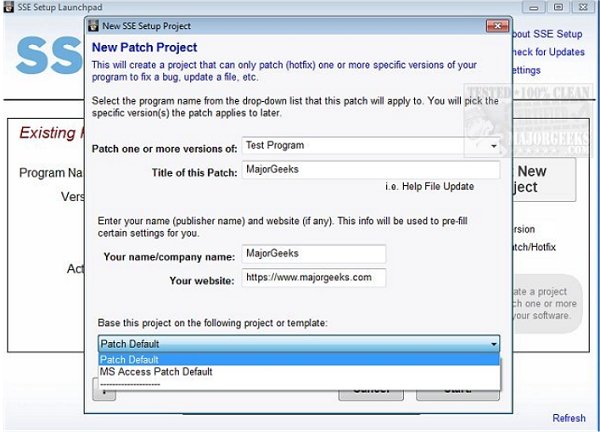
SSE Setup creates small, efficient .EXE's or .ZIP's, or you can burn to CD/DVD it includes non-Admin (Limited/Standard user) install support as well as upgrade and patch support for installed programs. It also has an integrated Internet Updater solution that can download & install needed updates and performs prerequisite checks to look for needed hardware/OS's/software. Not to leave out that SSE Setup can download any required software (runtimes) your program needs including For .NET installs, easy framework download if required.
SSE Setup Features:
-For Access developers: Easy Access database deployment
-Built-in Language support for 12 of the world's most-used (multilanguage)
-Works well with UAC / Very "UAC Friendly"
-Customizable GUI and 7 presets to choose from
-Ability to digitally sign installer/uninstaller/your program's files
-Display license agreement that must be agreed to
-Install files & shortcuts; modify the registry
-Automatic DLL/OCX registration or font installation if needed
-Full Unicode support
-Complete context-sensitive help a button away
-Automatic removal of everything installed during uninstall
-Run external programs during install/uninstall
-Show welcome screen or custom messages
-Play audio files
-Associate file types with your software
-Create/Run/Delete Task Scheduler Tasks
-Modify security permissions (ACL) on files/folders/registry
-Modify user or group privileges/rights
-Automatic system restore point creation
-Replaces "in use" system files
-The recognizable design ensures a great end-user experience
-Can legitimately provide a way for your program to avoid UAC elevation prompts if it needs Elevated Admin privileges on Admin accounts
-Detailed LOG file generation
Download @ https://www.majorgeeks.com/files/details/sse_setup.html
comments powered by Disqus
Installers run on Windows 10 and all relevant Windows OS's (you choose which) and will install both 32-bit and 64-bit programs. It is presented in a simple fashion not some overly complicated scripting language permitting you to create a fully functional installer in minutes and will handle the most common things automatically.
SSE Setup creates small, efficient .EXE's or .ZIP's, or you can burn to CD/DVD it includes non-Admin (Limited/Standard user) install support as well as upgrade and patch support for installed programs. It also has an integrated Internet Updater solution that can download & install needed updates and performs prerequisite checks to look for needed hardware/OS's/software. Not to leave out that SSE Setup can download any required software (runtimes) your program needs including For .NET installs, easy framework download if required.
SSE Setup Features:
-For Access developers: Easy Access database deployment
-Built-in Language support for 12 of the world's most-used (multilanguage)
-Works well with UAC / Very "UAC Friendly"
-Customizable GUI and 7 presets to choose from
-Ability to digitally sign installer/uninstaller/your program's files
-Display license agreement that must be agreed to
-Install files & shortcuts; modify the registry
-Automatic DLL/OCX registration or font installation if needed
-Full Unicode support
-Complete context-sensitive help a button away
-Automatic removal of everything installed during uninstall
-Run external programs during install/uninstall
-Show welcome screen or custom messages
-Play audio files
-Associate file types with your software
-Create/Run/Delete Task Scheduler Tasks
-Modify security permissions (ACL) on files/folders/registry
-Modify user or group privileges/rights
-Automatic system restore point creation
-Replaces "in use" system files
-The recognizable design ensures a great end-user experience
-Can legitimately provide a way for your program to avoid UAC elevation prompts if it needs Elevated Admin privileges on Admin accounts
-Detailed LOG file generation
Download @ https://www.majorgeeks.com/files/details/sse_setup.html
comments powered by Disqus
