


What is DuckDuckGo?
By Timothy Tibbettson 06/15/2023 |
You have a lot of choices today in search engines, with Google dominating the market. Since you're here, you've heard about DuckDuckgo and might be wondering if it's any good, safe, or worth a look?
To understand DuckDuckGo, let's take a brief look at what, who, and how.
What is DuckDuckGo?
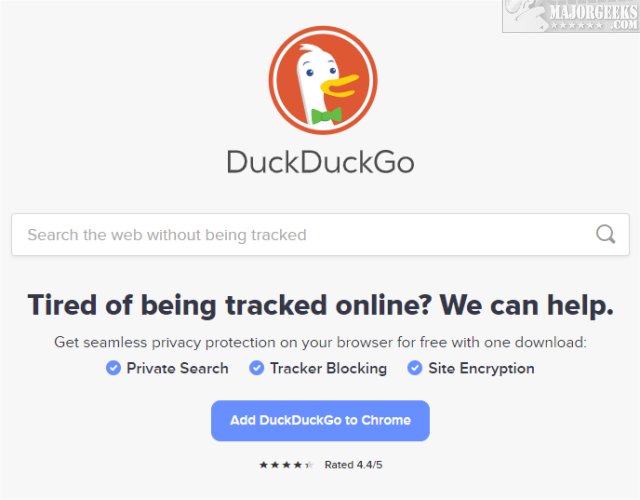
DuckDuckGo is an internet search engine, found in 2008, that knows they can't compete with Google but felt, as many of you do, that it was time to offer better results and privacy when searching.
In 2012, DuckDuckGo was delivering 1.5 million searches a day. Today, they provide over 65 million searches per day. Of course, since they don't track you, that number is an estimate.
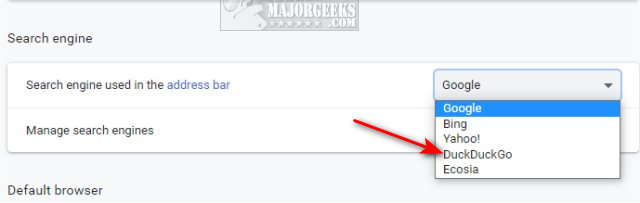
DuckDuckGo is now listed as an optional search engine in most popular browsers, including Google Chrome.
Who is DuckDuckGo?
DuckDuckGo was founded in 2008 by Gabriel Weinberg and is based out of a Philadelphia suburb of Paoli, Pennsylvania. As you might have guessed, the name references the children's game Duck, Duck Goose, for no reason other than the founder liked the way it sounded.
DuckDuckgo was initially self-funded (impressive) but took a round of venture capital in 2012.
DuckDuckgo currently has over 100 employees.
Some people believe Google owns DuckDuckGo. We assume that was because Google either sold or transferred Duck.com to DuckDuckGo in 2018 and allowed DuckDuckGo as a search option in Google Chrome. No one knows (or isn't saying) why Google did this, although we can assume to avoid lawsuits over the name. Google was forwarding duck.com (acquired years earlier) to Google search. We think that all of this was done to prevent possible monopoly lawsuits in the future, but we're just armchair geeks.
How Does DuckDuckGo Work?
DuckDuckGo isn't just another search engine. How they find and deliver results sets them apart from everyone else.
DuckDuckGo searches over 400 search engines and its database to return unique results. Their core code is proprietary, but the rest of their code remains Open Source.
DuckDuckGo does not store your user information (IP addresses) and only uses cookies if necessary. They filter out websites designed to rank highly in Google with overloaded low-quality content (eHow) and even block websites with heavy advertising.
DuckDuckGo makes money with advertisements (Yahoo! and Bing) and affiliate sales (eBay and Amazon). Unlike Google, advertisements are based on your current search and not stored forever. You can opt out of ads.
Is DuckDuckGo Any Good?
Yes. But I suspect you already figured that out from this article.
Check it out at https://duckduckgo.com/ or download the extensions for Chrome and Firefox.
Video tutorial:
comments powered by Disqus
To understand DuckDuckGo, let's take a brief look at what, who, and how.
What is DuckDuckGo?
DuckDuckGo is an internet search engine, found in 2008, that knows they can't compete with Google but felt, as many of you do, that it was time to offer better results and privacy when searching.
In 2012, DuckDuckGo was delivering 1.5 million searches a day. Today, they provide over 65 million searches per day. Of course, since they don't track you, that number is an estimate.
DuckDuckGo is now listed as an optional search engine in most popular browsers, including Google Chrome.
Who is DuckDuckGo?
DuckDuckGo was founded in 2008 by Gabriel Weinberg and is based out of a Philadelphia suburb of Paoli, Pennsylvania. As you might have guessed, the name references the children's game Duck, Duck Goose, for no reason other than the founder liked the way it sounded.
DuckDuckgo was initially self-funded (impressive) but took a round of venture capital in 2012.
DuckDuckgo currently has over 100 employees.
Some people believe Google owns DuckDuckGo. We assume that was because Google either sold or transferred Duck.com to DuckDuckGo in 2018 and allowed DuckDuckGo as a search option in Google Chrome. No one knows (or isn't saying) why Google did this, although we can assume to avoid lawsuits over the name. Google was forwarding duck.com (acquired years earlier) to Google search. We think that all of this was done to prevent possible monopoly lawsuits in the future, but we're just armchair geeks.
How Does DuckDuckGo Work?
DuckDuckGo isn't just another search engine. How they find and deliver results sets them apart from everyone else.
DuckDuckGo searches over 400 search engines and its database to return unique results. Their core code is proprietary, but the rest of their code remains Open Source.
DuckDuckGo does not store your user information (IP addresses) and only uses cookies if necessary. They filter out websites designed to rank highly in Google with overloaded low-quality content (eHow) and even block websites with heavy advertising.
DuckDuckGo makes money with advertisements (Yahoo! and Bing) and affiliate sales (eBay and Amazon). Unlike Google, advertisements are based on your current search and not stored forever. You can opt out of ads.
Is DuckDuckGo Any Good?
Yes. But I suspect you already figured that out from this article.
Check it out at https://duckduckgo.com/ or download the extensions for Chrome and Firefox.
comments powered by Disqus
