


What is LZMA Compression?
By Timothy Tibbettson 07/21/2023 |
You may rarely (as a Windows user) come across a file with the LZMA extension and wonder what it is. LZMa is a type of file compression similar to RAR or ZIP, and it stands for Lempel-Ziv-Markov chain-Algorithm. LZMA is mostly used for Linux operating systems.
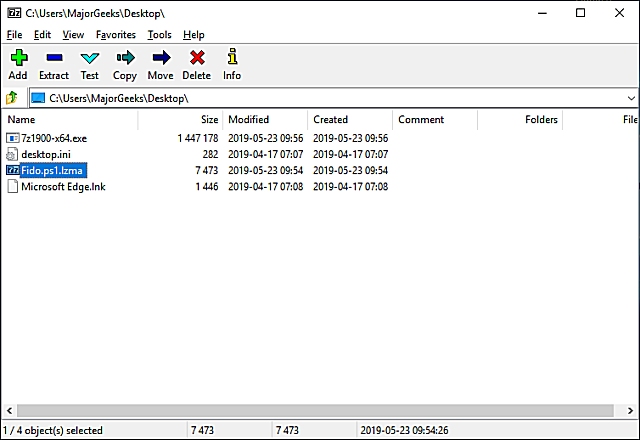
There are many formats available that you may not have heard about, including 7z, XZ, BZIP2, GZIP, TAR, ZIP, WIM, ARJ, CAB, CHM, CPIO, CramFS, DEB, DMG, FAT, HFS, ISO, LZH, LZMA, MBR, MSI, NSIS, NTFS, RAR, RPM, SquashFS, UDF, VHD, WIM, XAR, and Z. Phew.
How to Open an LZMA Compressed File
Surprisingly, we found some popular apps, including WinRar, don't offer LZMA support, but that's OK because there are at least two free, popular apps that can.
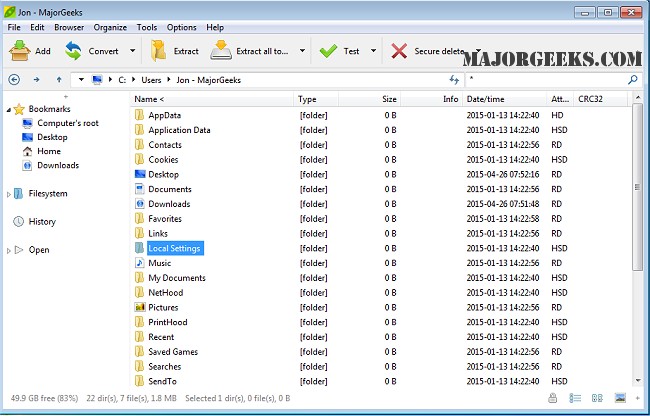
1: PeaZip Portable is a file manager or file archiver that can be used to open all popular compression types (over 180), including ZIP, RAR, 7Z, DMG, ACE, CAB, TAR, and ISO. PeaZip installer and 64-Bit are also available.
32-Bit - https://www.majorgeeks.com/files/details/peazip_portable.html
64-Bit - https://www.majorgeeks.com/files/details/peazip_portable_64_bit.html
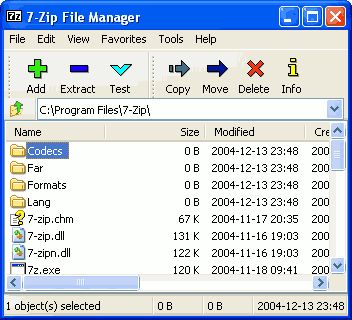
2: 7-Zip is a file archiver featuring a high compression ratio to extract or create compressed files in multiple formats. 7-Zip is completely free, open-source software with open source under the GNU LGPL license.
32 and 64-Bit - https://www.majorgeeks.com/files/details/7_zip.html
comments powered by Disqus
There are many formats available that you may not have heard about, including 7z, XZ, BZIP2, GZIP, TAR, ZIP, WIM, ARJ, CAB, CHM, CPIO, CramFS, DEB, DMG, FAT, HFS, ISO, LZH, LZMA, MBR, MSI, NSIS, NTFS, RAR, RPM, SquashFS, UDF, VHD, WIM, XAR, and Z. Phew.
How to Open an LZMA Compressed File
Surprisingly, we found some popular apps, including WinRar, don't offer LZMA support, but that's OK because there are at least two free, popular apps that can.
1: PeaZip Portable is a file manager or file archiver that can be used to open all popular compression types (over 180), including ZIP, RAR, 7Z, DMG, ACE, CAB, TAR, and ISO. PeaZip installer and 64-Bit are also available.
32-Bit - https://www.majorgeeks.com/files/details/peazip_portable.html
64-Bit - https://www.majorgeeks.com/files/details/peazip_portable_64_bit.html
2: 7-Zip is a file archiver featuring a high compression ratio to extract or create compressed files in multiple formats. 7-Zip is completely free, open-source software with open source under the GNU LGPL license.
32 and 64-Bit - https://www.majorgeeks.com/files/details/7_zip.html
comments powered by Disqus
