


What Is RuneLite and Is It Safe?
By Jim McMahonon 10/22/2026 |
RuneLite is a third-party client for Old School RuneScape that adds overlays, quality-of-life tools, and plugins on top of the game.
Short answer: RuneLite is generally treated as safe when you get it from the official RuneLite source or through the Jagex Launcher, and when you avoid untrusted plugins, fake download pages, and suspicious links.
Use this guide to check the client, understand the risks, and keep your OSRS account protected.
If any installer asks for extra browser extensions, unrelated software, or your bank PIN, stop.
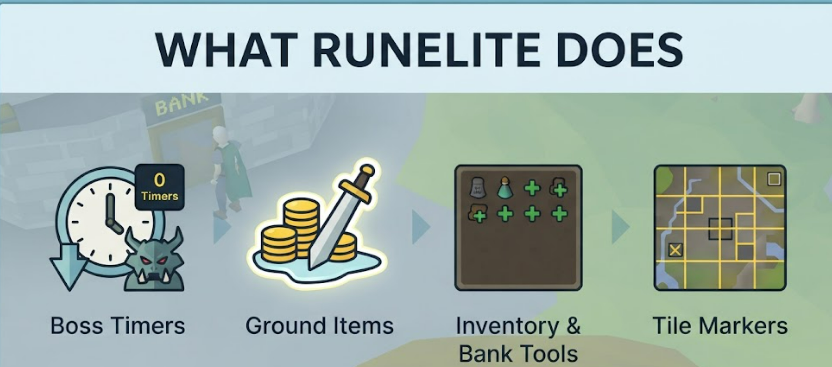
RuneLite changes how you view and interact with Old School RuneScape, but it does not replace the game servers.
It adds client-side tools such as:
These features run on your device. They help display information, highlight tiles, or improve visibility.
RuneLite itself is widely used because it is open-source software and has been reviewed by the OSRS community over time.
That does not mean every file with "RuneLite" in the name is safe.
Separate the question into three parts:
The first answer is usually yes. The second and third answers depend on what you install and where you get it.
RuneLite being open source means its source code is publicly available for review.
That matters because security issues are easier to spot when the code can be inspected by developers, plugin authors, and technically skilled players.
Open source does not magically make software safe. It gives the community a way to audit what the client does.
In practical terms, reviewers can check for:
This is different from a closed installer where users can only trust the vendor's claim.
For most players, you will not review the code yourself. The benefit is that other people can, and suspicious changes are harder to hide for long.
Treat the core RuneLite client and community plugins as separate risk areas.
The core client is the main application.
Plugins add extra behavior. Some are built in. Others come from the Plugin Hub.
Built-in plugins are part of the normal RuneLite client package.
These are usually the safest plugin option because they are maintained as part of the main client experience.
Still, check the plugin settings before enabling anything that changes overlays, markers, or notifications.
Plugin Hub entries are community-developed plugins.
They can be useful, but they deserve more caution.
Before installing a Plugin Hub plugin:
Jagex allows third-party clients only when they follow Jagex's client rules.
That is the key point.
RuneLite is not a free pass to use any plugin or modified client feature. If a plugin automates actions, gives prohibited information, or bypasses restrictions, it may put your account at risk.
Use the Jagex Launcher if you want the safest route for choosing supported clients.
If Jagex changes its rules, follow the latest Jagex guidance over any old forum post, video, or plugin description.
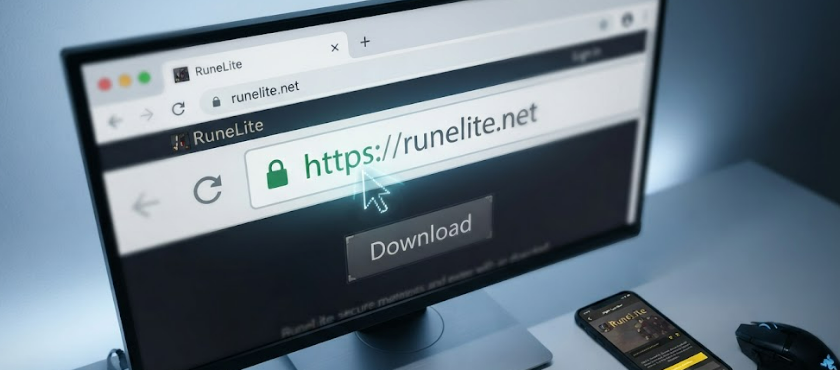
Use this process before installing RuneLite.
Open the Jagex Launcher and choose RuneLite from the available client options if it is shown for your account.
This reduces the chance of landing on a fake download page.
If you download from a browser, check the address carefully.
Do not rely on search ads, Discord links, shortened URLs, or copied links from strangers.
Look for:
A fake page may look normal at first glance.
Hover over links before opening them.
For example, if a page labels a link as OSRS GP for sale but the URL points to a Battlefield account page, treat that mismatch as a warning sign. The visible text and destination should match.
The same rule applies to RuneLite downloads, giveaway pages, and "account recovery" links.
Use your operating system's built-in security scan or another trusted antivirus tool before running the installer.
This does not prove a file is safe, but it can catch known malicious copies.
Automated trust-checking tools can misread open-source projects.
A domain score system may look at signals such as:
These systems are useful for catching obvious scams.
They are weaker at judging niche gaming tools, open-source projects, and community software. A legitimate project can receive a low-confidence or mixed score if the algorithm has limited data or weighs download behavior too heavily. That does not mean you should ignore warnings. Use them as one signal.
RuneLite should not need your OSRS password outside the normal game login process.
Use these account security steps:
If you use services outside the official game ecosystem, separate that from RuneLite itself.
For example, pages offering OSRS boosting are third-party services, not RuneLite features. Check Jagex rules and understand the account risk before using anything that requires account access.
Stop and remove the file if you notice any of these:
If you already ran a suspicious file, change your password from a clean device and review your account security settings.
Use this checklist before your first login:
RuneLite is a legitimate OSRS third-party client when installed from the correct source and used within Jagex's rules.
The main risks come from fake download pages, phishing links, unsafe community plugins, and account-sharing behavior.
Use the Jagex Launcher or official RuneLite download path, keep plugins conservative, and do not enter your login details anywhere that is not the normal Jagex login flow.
comments powered by Disqus
Short answer: RuneLite is generally treated as safe when you get it from the official RuneLite source or through the Jagex Launcher, and when you avoid untrusted plugins, fake download pages, and suspicious links.
Use this guide to check the client, understand the risks, and keep your OSRS account protected.
| Check | What to do |
|---|---|
| Download source | Use the official RuneLite site or Jagex Launcher route only |
| Client type | Make sure it is RuneLite, not a copycat installer |
| Plugins | Prefer built-in plugins and reviewed Plugin Hub entries |
| Account login | Do not enter your password into any website pretending to be RuneLite |
| Jagex rules | Follow Jagex's current third-party client rules |
| Security | Use a Jagex Account, two-factor authentication, and a unique password |
If any installer asks for extra browser extensions, unrelated software, or your bank PIN, stop.
What RuneLite does
Credits: Gemini
RuneLite changes how you view and interact with Old School RuneScape, but it does not replace the game servers.
It adds client-side tools such as:
- XP trackers
- Ground item overlays
- Tile markers
- Boss timers
- Clue and quest helpers
- Inventory and bank tools
- GPU and stretched-mode settings
These features run on your device. They help display information, highlight tiles, or improve visibility.
Is RuneLite safe?
RuneLite itself is widely used because it is open-source software and has been reviewed by the OSRS community over time.
That does not mean every file with "RuneLite" in the name is safe.
Separate the question into three parts:
- Is the official RuneLite client legitimate?
- Is the file you downloaded the official client?
- Are the plugins you added safe and allowed?
The first answer is usually yes. The second and third answers depend on what you install and where you get it.
Why open source helps with security auditing
RuneLite being open source means its source code is publicly available for review.
That matters because security issues are easier to spot when the code can be inspected by developers, plugin authors, and technically skilled players.
Open source does not magically make software safe. It gives the community a way to audit what the client does.
In practical terms, reviewers can check for:
- Suspicious network connections
- Credential collection
- Hidden automation
- Unsafe file access
- Plugin behavior that breaks client rules
- Changes made between releases
This is different from a closed installer where users can only trust the vendor's claim.
For most players, you will not review the code yourself. The benefit is that other people can, and suspicious changes are harder to hide for long.
Core client safety vs Plugin Hub risks
Treat the core RuneLite client and community plugins as separate risk areas.
The core client is the main application.
Plugins add extra behavior. Some are built in. Others come from the Plugin Hub.
Built-in plugins
Built-in plugins are part of the normal RuneLite client package.
These are usually the safest plugin option because they are maintained as part of the main client experience.
Still, check the plugin settings before enabling anything that changes overlays, markers, or notifications.
Plugin Hub plugins
Plugin Hub entries are community-developed plugins.
They can be useful, but they deserve more caution.
Before installing a Plugin Hub plugin:
- Check what the plugin claims to do.
- Avoid plugins that promise automation or unfair gameplay.
- Look for clear settings and normal behavior.
- Remove anything that asks you to log in outside the game.
- Disable the plugin if it causes unusual pop-ups, browser redirects, or account warnings.
Jagex's stance on third-party clients
Jagex allows third-party clients only when they follow Jagex's client rules.
That is the key point.
RuneLite is not a free pass to use any plugin or modified client feature. If a plugin automates actions, gives prohibited information, or bypasses restrictions, it may put your account at risk.
Use the Jagex Launcher if you want the safest route for choosing supported clients.
If Jagex changes its rules, follow the latest Jagex guidance over any old forum post, video, or plugin description.
How to verify the official RuneLite download
Credits: Gemini
Use this process before installing RuneLite.
Use the Jagex Launcher when possible
Open the Jagex Launcher and choose RuneLite from the available client options if it is shown for your account.
This reduces the chance of landing on a fake download page.
Check the domain before downloading
If you download from a browser, check the address carefully.
Do not rely on search ads, Discord links, shortened URLs, or copied links from strangers.
Look for:
- Correct spelling
- HTTPS in the address bar
- No extra words added to the domain
- No strange file-hosting domain
- No forced "update" from a pop-up
A fake page may look normal at first glance.
Watch for mismatched links
Hover over links before opening them.
For example, if a page labels a link as OSRS GP for sale but the URL points to a Battlefield account page, treat that mismatch as a warning sign. The visible text and destination should match.
The same rule applies to RuneLite downloads, giveaway pages, and "account recovery" links.
Scan the installer
Use your operating system's built-in security scan or another trusted antivirus tool before running the installer.
This does not prove a file is safe, but it can catch known malicious copies.
Why security score sites may flag RuneLite oddly
Automated trust-checking tools can misread open-source projects.
A domain score system may look at signals such as:
- Domain age
- Traffic estimates
- Hosting patterns
- Public reputation data
- SSL details
- User reports
- Whether the site looks like a download page
These systems are useful for catching obvious scams.
They are weaker at judging niche gaming tools, open-source projects, and community software. A legitimate project can receive a low-confidence or mixed score if the algorithm has limited data or weighs download behavior too heavily. That does not mean you should ignore warnings. Use them as one signal.
Account security while using RuneLite
RuneLite should not need your OSRS password outside the normal game login process.
Use these account security steps:
- Use a Jagex Account if available for your account.
- Enable two-factor authentication.
- Use a unique password that you do not use anywhere else.
- Do not enter your login details into plugin websites.
- Do not install "private" plugins from strangers.
- Avoid clients that promise bots, automation, or hidden advantages.
- Keep your operating system and browser updated.
- Review account linked services and active sessions when available.
- Do not share screen or remote access with someone offering "help."
- Be careful with trading and service links outside the game.
If you use services outside the official game ecosystem, separate that from RuneLite itself.
For example, pages offering OSRS boosting are third-party services, not RuneLite features. Check Jagex rules and understand the account risk before using anything that requires account access.
Signs you should not use a client or plugin
Stop and remove the file if you notice any of these:
- The installer came from a Discord DM or shortened link
- The site asks for your bank PIN
- The client asks for your authenticator code outside normal login
- A plugin promises botting or automation
- The download page uses urgent language about a required update
- The file name is slightly misspelled
- The plugin redirects you to a login page
- The client behaves differently from normal RuneLite builds
If you already ran a suspicious file, change your password from a clean device and review your account security settings.
Safe setup checklist
Use this checklist before your first login:
- Install RuneLite only through the official source or Jagex Launcher.
- Enable only the plugins you actually need.
- Install Plugin Hub plugins one at a time.
- Remove any plugin that behaves unexpectedly.
- Keep your account protected with two-factor authentication.
- Check Jagex's latest third-party client rules.
- Ignore fake "RuneLite update" links in chats, comments, and DMs.
Final answer
RuneLite is a legitimate OSRS third-party client when installed from the correct source and used within Jagex's rules.
The main risks come from fake download pages, phishing links, unsafe community plugins, and account-sharing behavior.
Use the Jagex Launcher or official RuneLite download path, keep plugins conservative, and do not enter your login details anywhere that is not the normal Jagex login flow.
comments powered by Disqus
