


Win Facebook Blocker Offers Simplified Facebook Domain, Subdomain Blocking
By Timothy Tibbettson 07/12/2023 |
Win Facebook Blocker is designed to be a useful little tool that allows you to block/unblock known Facebook domains and subdomains with ease.
This type of tool can be of use at work to keep your employees off Facebook or at home to block your kids from accessing the platform. How Win Facebook Blocker works is by modifying the \ etc \hosts file to block Facebook. It is available in 20 languages but it also automatically selects the language based on your operating system's language. Win Facebook Blocker is displayed from a simple single window interface that features clearly marked function buttons that make it extremely straightforward to use.
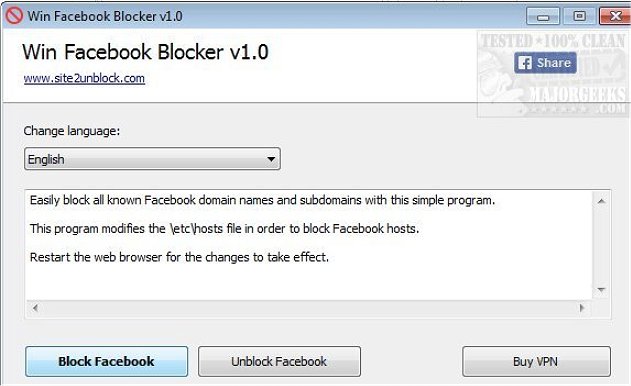
Once you have chosen to block/unblock Facebook, you will need to restart your web browser for the changes to take effect. It is available in portable form so you can run it directly from a USB for use anywhere.
Download @ https://www.majorgeeks.com/files/details/win_facebook_blocker.html
comments powered by Disqus
This type of tool can be of use at work to keep your employees off Facebook or at home to block your kids from accessing the platform. How Win Facebook Blocker works is by modifying the \ etc \hosts file to block Facebook. It is available in 20 languages but it also automatically selects the language based on your operating system's language. Win Facebook Blocker is displayed from a simple single window interface that features clearly marked function buttons that make it extremely straightforward to use.
Once you have chosen to block/unblock Facebook, you will need to restart your web browser for the changes to take effect. It is available in portable form so you can run it directly from a USB for use anywhere.
Download @ https://www.majorgeeks.com/files/details/win_facebook_blocker.html
comments powered by Disqus
