


Windows 10 1803 Update Now Available - How to Get It Now
By Timothy Tibbettson 06/15/2023 |
Many of us have been waiting for Windows 10 version 1803. 1803 was originally due out in April (they still call it the April 2018 update) and it will be available for everyone on May 8th, but you don't need to wait. This guide also applies to any major Windows update that is expected to release typically in the next week.
There are two ways to get Windows 10, 1803.
1: Manually Check Windows Updates
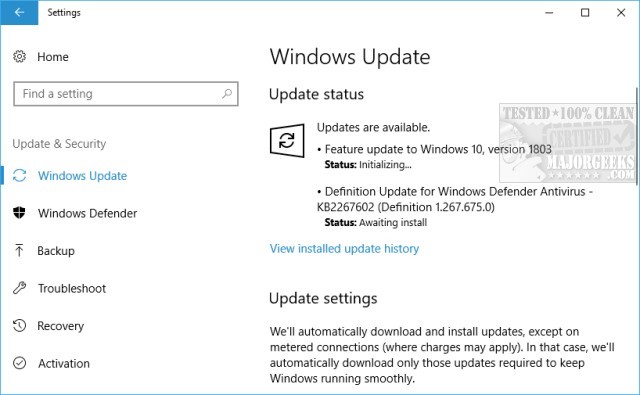
As mentioned, the major rollout will be May 8th, but odds are if you go Windows Updates and press Check for Updates, Windows 10 version 1803 will begin downloading and installing. You do not see the 1803 update on purpose. Microsoft will let Insiders and others who know how to get it put it through final testing before everyone else sees it. Head to Start, Control Panel, Updates.
2: Update Via Microsoft.Com
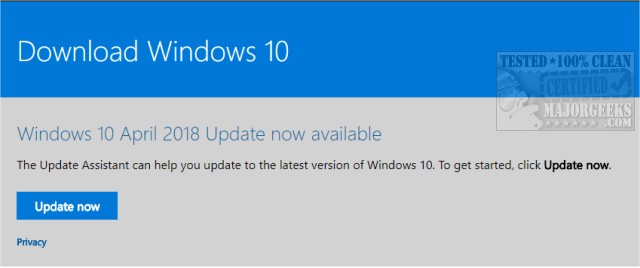
If, for some reason, your Windows Updates does not offer version 1803 then go to this page at Microsoft and click on Update now.
Those doing a clean install can also download the media creation tool from the same page and create a Windows 10 ISO.
Of course, we need a disclaimer here. If you're an average user or using your computer in any work capacity, please wait for the general rollout. It's not at all uncommon to see all types of issues on new updates from minor to borking computers entirely. Waiting a week won't be a big deal, and it's usually worth waiting for.
As for us? If it ain't broke, tweak it. We downloaded it while we wrote this hoping our computer didn't reboot :)
comments powered by Disqus
There are two ways to get Windows 10, 1803.
1: Manually Check Windows Updates
As mentioned, the major rollout will be May 8th, but odds are if you go Windows Updates and press Check for Updates, Windows 10 version 1803 will begin downloading and installing. You do not see the 1803 update on purpose. Microsoft will let Insiders and others who know how to get it put it through final testing before everyone else sees it. Head to Start, Control Panel, Updates.
2: Update Via Microsoft.Com
If, for some reason, your Windows Updates does not offer version 1803 then go to this page at Microsoft and click on Update now.
Those doing a clean install can also download the media creation tool from the same page and create a Windows 10 ISO.
Of course, we need a disclaimer here. If you're an average user or using your computer in any work capacity, please wait for the general rollout. It's not at all uncommon to see all types of issues on new updates from minor to borking computers entirely. Waiting a week won't be a big deal, and it's usually worth waiting for.
As for us? If it ain't broke, tweak it. We downloaded it while we wrote this hoping our computer didn't reboot :)
comments powered by Disqus
