


Windows Defender Offline Can Boot, Run Malware Scans From a Trusted Environment
By Timothy Tibbettson 06/15/2023 |
Windows Defender Offline will help you remove stubborn malware like rootkits from your machine prior to starting Windows via bootable media.
Other types of anti-malware software attempt to remove malware after Windows has already started but this can be futile as they have already activated their malicious code before the Windows operating system even starts. Windows Defender Offline will mitigate that by allowing you to save removable media like a CD, DVD, or USB flash drive then boot from there to initiate the scan.
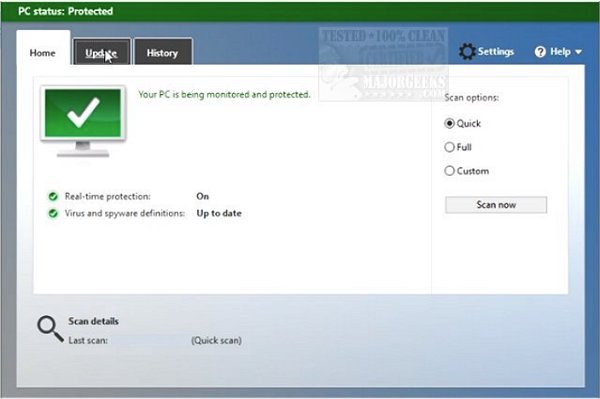
Windows Defender Offline will help to remove hidden malicious and potentially unwanted programs by utilizing definitions that recognize numerous threats. These definitions are specific files that provide an encyclopedia of potential threats to your machine. Since new threats are constantly evolving and appearing, it's recommended to always have the most up-to-date definitions installed - you can update them from us here. Once you have these trusty definition files, Windows Defender Offline can then effectively detect malicious and potentially unwanted software, then notify you of the potential risks to your system.
Download @ https://www.majorgeeks.com/files/details/microsoft_windows_defender_offline.html
comments powered by Disqus
Other types of anti-malware software attempt to remove malware after Windows has already started but this can be futile as they have already activated their malicious code before the Windows operating system even starts. Windows Defender Offline will mitigate that by allowing you to save removable media like a CD, DVD, or USB flash drive then boot from there to initiate the scan.
Windows Defender Offline will help to remove hidden malicious and potentially unwanted programs by utilizing definitions that recognize numerous threats. These definitions are specific files that provide an encyclopedia of potential threats to your machine. Since new threats are constantly evolving and appearing, it's recommended to always have the most up-to-date definitions installed - you can update them from us here. Once you have these trusty definition files, Windows Defender Offline can then effectively detect malicious and potentially unwanted software, then notify you of the potential risks to your system.
Download @ https://www.majorgeeks.com/files/details/microsoft_windows_defender_offline.html
comments powered by Disqus
