


Axolotl AI 0.20.0
|
Author:
AXOLOTL AI
Date: 09/30/26 Size: 6 MB License: Open Source Requires: 11|10|8|7|Linux|macOS Downloads: 773 times  TIP:
Click Here to Repair or
TIP:
Click Here to Repair orRestore Missing Windows Files |
 Download (ZIP) Download@MajorGeeks Download@MajorGeeks
|
MajorGeeks: Setting the standard for editor-tested, trusted, and secure downloads since 2002. |
 Avast Free Antivirus Worried about finance scams?
Get free antivirus with AI-powered online scam detection Download Free!
Axolotl is a free, Open Source framework for developers, researchers, and AI engineers who want to fine-tune large language models without writing a pile of custom training scripts. It uses YAML configuration files to handle model setup, datasets, training options, evaluation, and other parts of the workflow. It is not for casual users, but if you already live around Python, GPUs, Hugging Face models, and terminal windows, Axolotl can save a lot of setup pain.
Axolotl helps fine-tune and post-train large language models using reusable configuration files instead of one-off Python scripts. It supports popular model families such as LLaMA, GPT-OSS, Mistral, Mixtral, Falcon, Pythia, Gemma, Qwen, and other models available through Hugging Face.
This is different from simply running a local AI model. Tools like Ollama, LM Studio, and GPT4All are better if you just want to download a model and chat with it. Axolotl is for changing how a model behaves by training it on your own data.
Axolotl is designed when you want to adapt an existing model to a specific job. That could mean training a support chatbot on internal documentation, tuning a coding assistant on your own specific examples or style, or experimenting with instruction datasets without rebuilding the whole training pipeline. In a nutshell, this is for people serius about AI and LLM;s not exactly for the avaerge home user.
Let's say you work at a company with thousands of solved support tickets and want a small, local model to answer questions in your company’s tone. You don't want to put this information in the cloud and risk leaks, so you want to make something local. Instead of manually wiring together tokenization, dataset loading, LoRA settings, training arguments, and evaluation scripts, you can define most of that in one YAML file and keep tweaking it as you test. When the first run goes sideways, and it probably will, you are editing a config instead of spelunking through a script full of mysterious notations.
Axolotl is best for developers, AI tinkerers, researchers, and power users who already understand the basics of model training and want a repeatable way to fine-tune LLMs.
It is not the right starting point if you only want to run a chatbot locally, test prompts, or play with an AI assistant. For that, start with something simpler, like LM Studio or Ollama. Axolotl is what you reach for when you have a dataset, a goal, and enough hardware or cloud budget to train something.
Axolotl supports several common fine-tuning methods, including full fine-tuning, LoRA, QLoRA, GPTQ, preference tuning methods, reward modeling, and newer reinforcement learning workflows such as GRPO. It also supports multimodal fine-tuning for supported models, including some vision-language, audio, image, and video workflows.
One thing to like about the YAML (YAML Ain't Markup Language) approach is that it encourages repeatable experiments. Change one setting, run again, compare results. That sounds obvious, but anyone who has trained models from a half-edited Python script named "final_test_2_real.py" knows how quickly things get stupid.
Axolotl can run on any environment that supports Python and the right machine learning stack, but to be realistic, fine-tuning usually requires a capable GPU. For most serious work, that means NVIDIA hardware, CUDA, and enough VRAM to do the job.
For smaller experiments, LoRA or QLoRA is usually the saner starting point because they are designed to reduce the amount of trainable data compared with full fine-tuning. Also, LoRA or QLoRA jobs may run on more modest hardware, depending on the model size and training settings. Larger models will need serious VRAM or rented cloud GPU time. The software may be free, but the electricity, hardware, and cloud meter are very real.
Axolotl is a command-line framework, so expect to install it into a Python environment, grab or create a training configuration, prepare your dataset, and launch training from the terminal. The project provides many example configurations, which is where you should start rather than staring at a blank YAML file….Unless you are very verse in YAML.
The usual workflow looks something like this:
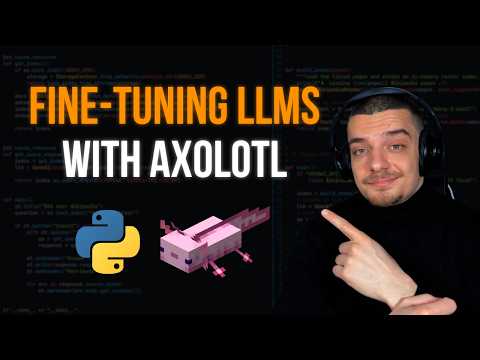
We found this video by Nural Nine to be very helpful.
Axolotl is best suited to Linux or cloud GPU setups, especially if you are doing serious training with NVIDIA hardware. It can also be used in other Python-capable environments, but Windows and macOS users should expect more friction once CUDA, PyTorch, drivers, and GPU support enter the chat.
Cloud GPU services, lik AWS, are often the easiest route if your local machine is not up to the task. Docker support also helps keep environments cleaner.
The setup is usually the hardest part. CUDA versions, PyTorch builds, Python environments, GPU drivers, Flash Attention, and other dependencies all need to agree with each other, and they do not always feel like being buddy-buddy.
Docker can reduce some of that pain, especially on Linux or in cloud environments. Still, expect to read error messages, check versions, and occasionally wonder why a package installed successfully but refuses to work. Welcome to machine learning tooling. So brew a pot of coffe and settle in for a smidge of frustration and searching.
Axolotl is free and open source under the Apache 2.0 license, so it can be used in personal, research, and commercial projects without paying licensing fees.
The catch is hardware cost. Axolotl may be free, but GPU time is not. If you are running larger models or long training jobs in the cloud, keep an eye on the meter unless you enjoy surprise bills or have an umlimited budget. If that describes you, please feel free to think about Buying Us aa Coffee
Axolotl is not a beginner AI app. There is no polished point-and-click interface, no big friendly "make model smarter" button, and no guarantee that your first config will work. You need to understand Python environments, model formats, datasets, GPU memory limits, and at least the basics of fine-tuning.
It also will not fix bad data. If your dataset is messy, duplicated, biased, or formatted poorly, Axolotl will faithfully help you train a model on that mess. Garbage in, expensive garbage out.
Axolotl is a serious tool for fine-tuning large language models without building the whole training stack by hand. We like the YAML-driven workflow, broad model support, Hugging Face-friendly dataset handling, LoRA and QLoRA options, and the fact that working configs can be reused and tweaked instead of rewritten from scratch.
What could be better? It is very much a developer tool. Windows and macOS users may have extra setup headaches, and anyone new to model training should expect a learning curve about the size and shape of Mount Everest.
Use Axolotl if you already know why you need to fine-tune an LLM and want a flexible open-source framework to manage the job. This is also a great tool to learn to use if you are looking for a career in the AI space. Skip it if you are looking for a simple chatbot app, a one-click AI toy, or a painless way to sort your email.
What Axolotl Does
Axolotl helps fine-tune and post-train large language models using reusable configuration files instead of one-off Python scripts. It supports popular model families such as LLaMA, GPT-OSS, Mistral, Mixtral, Falcon, Pythia, Gemma, Qwen, and other models available through Hugging Face.
This is different from simply running a local AI model. Tools like Ollama, LM Studio, and GPT4All are better if you just want to download a model and chat with it. Axolotl is for changing how a model behaves by training it on your own data.
Why Someone Would Use Axolotl
Axolotl is designed when you want to adapt an existing model to a specific job. That could mean training a support chatbot on internal documentation, tuning a coding assistant on your own specific examples or style, or experimenting with instruction datasets without rebuilding the whole training pipeline. In a nutshell, this is for people serius about AI and LLM;s not exactly for the avaerge home user.
Let's say you work at a company with thousands of solved support tickets and want a small, local model to answer questions in your company’s tone. You don't want to put this information in the cloud and risk leaks, so you want to make something local. Instead of manually wiring together tokenization, dataset loading, LoRA settings, training arguments, and evaluation scripts, you can define most of that in one YAML file and keep tweaking it as you test. When the first run goes sideways, and it probably will, you are editing a config instead of spelunking through a script full of mysterious notations.
Best For
Axolotl is best for developers, AI tinkerers, researchers, and power users who already understand the basics of model training and want a repeatable way to fine-tune LLMs.
It is not the right starting point if you only want to run a chatbot locally, test prompts, or play with an AI assistant. For that, start with something simpler, like LM Studio or Ollama. Axolotl is what you reach for when you have a dataset, a goal, and enough hardware or cloud budget to train something.
Useful Features Worth Knowing
Axolotl supports several common fine-tuning methods, including full fine-tuning, LoRA, QLoRA, GPTQ, preference tuning methods, reward modeling, and newer reinforcement learning workflows such as GRPO. It also supports multimodal fine-tuning for supported models, including some vision-language, audio, image, and video workflows.
- YAML-based configuration: Training settings, dataset paths, model choices, evaluation options, and related settings can live in one readable config file.
- Reusable experiments: Once you have a working config, you can tweak one setting at a time and compare results without rebuilding your whole training script.
- Broad model support: Axolotl works with many Hugging Face model families, so you are not locked into one vendor’s ecosystem.
- Flexible dataset handling: It works well with Hugging Face-style model and dataset workflows, along with local datasets when formatted properly.
- Efficient tuning options: LoRA and QLoRA support can help reduce memory demands compared with full fine-tuning, which matters when your GPU is not exactly a data center in a box.
- Performance helpers: It supports features such as Flash Attention, multipacking, distributed training, FSDP, and DeepSpeed where your hardware and setup allow it.
- Docker and cloud-friendly setup: Axolotl can run locally or inside cloud GPU environments, which is useful when your desktop GPU taps out.
One thing to like about the YAML (YAML Ain't Markup Language) approach is that it encourages repeatable experiments. Change one setting, run again, compare results. That sounds obvious, but anyone who has trained models from a half-edited Python script named "final_test_2_real.py" knows how quickly things get stupid.
Hardware Requirements
Axolotl can run on any environment that supports Python and the right machine learning stack, but to be realistic, fine-tuning usually requires a capable GPU. For most serious work, that means NVIDIA hardware, CUDA, and enough VRAM to do the job.
For smaller experiments, LoRA or QLoRA is usually the saner starting point because they are designed to reduce the amount of trainable data compared with full fine-tuning. Also, LoRA or QLoRA jobs may run on more modest hardware, depending on the model size and training settings. Larger models will need serious VRAM or rented cloud GPU time. The software may be free, but the electricity, hardware, and cloud meter are very real.
How to Use Axolotl
Axolotl is a command-line framework, so expect to install it into a Python environment, grab or create a training configuration, prepare your dataset, and launch training from the terminal. The project provides many example configurations, which is where you should start rather than staring at a blank YAML file….Unless you are very verse in YAML.
The usual workflow looks something like this:
- Choose the base model: Pick a supported model that fits your task and hardware.
- Prepare the dataset: Use a supported dataset format, a compatible local dataset, or a Hugging Face dataset.
- Edit the YAML config: Set the model path, dataset location, adapter type, output folder, batch settings, precision, and training options.
- Run training: Launch Axolotl from the command line and watch logs closely, especially during the first few minutes.
- Test the result: Run inference or evaluation to see whether the fine-tuned model actually improved, or just became very confident about being wrong.
We found this video by Nural Nine to be very helpful.
▶
Where It Runs
Axolotl is best suited to Linux or cloud GPU setups, especially if you are doing serious training with NVIDIA hardware. It can also be used in other Python-capable environments, but Windows and macOS users should expect more friction once CUDA, PyTorch, drivers, and GPU support enter the chat.
Cloud GPU services, lik AWS, are often the easiest route if your local machine is not up to the task. Docker support also helps keep environments cleaner.
Setup Friction
The setup is usually the hardest part. CUDA versions, PyTorch builds, Python environments, GPU drivers, Flash Attention, and other dependencies all need to agree with each other, and they do not always feel like being buddy-buddy.
Docker can reduce some of that pain, especially on Linux or in cloud environments. Still, expect to read error messages, check versions, and occasionally wonder why a package installed successfully but refuses to work. Welcome to machine learning tooling. So brew a pot of coffe and settle in for a smidge of frustration and searching.
Pricing and License
Axolotl is free and open source under the Apache 2.0 license, so it can be used in personal, research, and commercial projects without paying licensing fees.
The catch is hardware cost. Axolotl may be free, but GPU time is not. If you are running larger models or long training jobs in the cloud, keep an eye on the meter unless you enjoy surprise bills or have an umlimited budget. If that describes you, please feel free to think about Buying Us aa Coffee
Limitations or Downsides
Axolotl is not a beginner AI app. There is no polished point-and-click interface, no big friendly "make model smarter" button, and no guarantee that your first config will work. You need to understand Python environments, model formats, datasets, GPU memory limits, and at least the basics of fine-tuning.
It also will not fix bad data. If your dataset is messy, duplicated, biased, or formatted poorly, Axolotl will faithfully help you train a model on that mess. Garbage in, expensive garbage out.
Geek Verdict
Axolotl is a serious tool for fine-tuning large language models without building the whole training stack by hand. We like the YAML-driven workflow, broad model support, Hugging Face-friendly dataset handling, LoRA and QLoRA options, and the fact that working configs can be reused and tweaked instead of rewritten from scratch.
What could be better? It is very much a developer tool. Windows and macOS users may have extra setup headaches, and anyone new to model training should expect a learning curve about the size and shape of Mount Everest.
Use Axolotl if you already know why you need to fine-tune an LLM and want a flexible open-source framework to manage the job. This is also a great tool to learn to use if you are looking for a career in the AI space. Skip it if you are looking for a simple chatbot app, a one-click AI toy, or a painless way to sort your email.
 Screenshot for Axolotl AI
Top Downloads In Coding & Development
 Cursor 3.22.12 [ 2026-09-29 03:28:32 | Size Varies | Subscription $20.00 Per Month+ | 11|10|8|7|Linux|macOS | 4 ] OpenCode 1.18.33 [ 2026-09-28 09:14:00 | Size Varies | Open Source | 11|10|Linux|macOS | 5 ] OpenAI Codex 26.623 [ 2026-07-03 09:00:26 | 1 MB | Freemium | 11|10|8|macOs | 4 ] OpenClaw Install - Uninstall Helper For Windows 1.2 [ 2026-04-14 23:55:06 | 12 KB | Freeware | 11|10 | 5 ] Windsurf AI 2.3.15 [ 2026-05-29 23:55:50 | 206 MB | Freemium / Subscription | 11|10|Linux|macOS | 5 ]
 Tactical Briefings
Comment Rules & Etiquette - We welcome all comments from our readers, but any comment section requires some moderation. Some posts are auto-moderated to reduce spam, including links and swear words. When you make a post, and it does not appear, it went into moderation. We are emailed when posts are marked as spam and respond ASAP. Some posts might be deleted to reduce clutter. Examples include religion, politics, and comments about listing errors (after we fix the problem and upvote your comment). Finally, be nice. Thank you for choosing MajorGeeks.

© 2000-2026 MajorGeeks.com
Powered by Contentteller® CMS System