


ReelGeek 1.0.0
|
Author:
TechyGeeksHome
Date: 10/29/26 Size: 48 MB License: Open Source Requires: 11|10 Downloads: 154 times  TIP:
Click Here to Repair or
TIP:
Click Here to Repair orRestore Missing Windows Files |
 Download (EXE) Download@MajorGeeks Download@MajorGeeks
|
MajorGeeks: Setting the standard for editor-tested, trusted, and secure downloads since 2002. |
 Avast Free Antivirus Worried about finance scams?
Get free antivirus with AI-powered online scam detection Download Free!
What is ReelGeek?
ReelGeek lets you turn a collection of photos into a dynamic vertical video edit instead of a traditional slideshow. It uses editing techniques like cuts aligned with the music beat and authentic camera movements, making it ideal for platforms like TikTok and YouTube Shorts. ReelGeek's transitions are tailored for short-form video editing and include whip pans with realistic motion blur, snap zooms, flash frames, RGB-split glitches, and hard cuts timed to the music.
Reel Creation is Straightforward
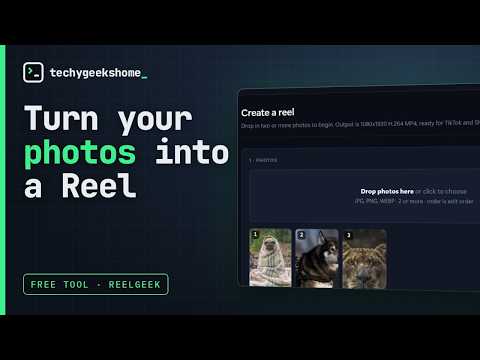
Creating a reel with ReelGeek is straightforward and takes three simple steps. Users start by selecting their photos in JPG, PNG, or WebP formats and arranging them in their preferred order using drag-and-drop. After finalizing their selection, users choose from five distinct video styles, each with a unique aesthetic that suits different online trends. The output is 1080 x 1920 H.264 MP4, which uploads as-is to TikTok and YouTube Shorts.
▶
Choose From Several Video Styles
ReelGeek's video styles offer a range of moods and rhythms, so users can find a match for their content. The Hype style features fast-paced, attention-grabbing transitions reminiscent of TikTok videos, while the Clean style offers a modern, minimalist approach. For a dreamy atmosphere, the Soft style is perfect for portraits and nature scenes. Alternatively, the VHS style channels a nostalgic retro vibe, and the Luxe style presents a more cinematic feel. To boost engagement, ReelGeek also lets users set hook text for the first few seconds, customize text colors, and adjust the video's tempo.
Local Processing, Save as MP4
Once a reel is created, ReelGeek enables users to preview the final product before saving it as an MP4 file. This lets you make adjustments as needed so that you can be satisfied with the outcome. Because the software processes locally, users retain full control over their content, as they are responsible for uploading the final reel to platforms like TikTok and YouTube Shorts. While ReelGeek simplifies video creation, future improvements could add support for additional graphic formats and integrate video clips, further enhancing its utility for content creators.
Geek Verdict
ReelGeek stands out as an exceptional tool for anyone seeking a completely free, privacy-conscious way to transform photos into vertical videos on a desktop. This lightweight app effortlessly sidesteps the intrusive monetization practices, watermarks, and cloud-upload demands typically associated with commercial mobile apps.
Editor's Note:
ReelGeeks does get a hit on VirusTotal, and you may get a warning from your antivirus that the file isn't commonly downloaded.
 Screenshot for ReelGeek
Top Downloads In Miscellaneous Utilities
 VueScan 9.8.59 [ 2026-09-27 13:41:01 | 22-81 MB | Shareware $39.95 | 11|10|8|7|Linux|macOS | 3 ] Setup Windows Photo Viewer as the Default Image Viewer [ 2015-08-01 08:16:09 | 1 KB | Freeware | Win 10 / 8 / 7 / Vista / XP | 5 ] PhotoFiltre 11.7.0 / 7.2.1 [ 2025-08-31 23:43:11 | 6-31 MB | Freeware / Shareware | 11|10|8|7 | 5 ] PhotoToFilm 3.9.8 [ 2023-04-02 09:45:35 | 3.85 MB | Shareware $17.20 | 11|10|8|7 | 5 ] JPEG-Repair 2.8.191 [ 2022-02-26 15:37:58 | 2 MB | Freemium | 11|10 | 4 ]
 Tactical Briefings
Comment Rules & Etiquette - We welcome all comments from our readers, but any comment section requires some moderation. Some posts are auto-moderated to reduce spam, including links and swear words. When you make a post, and it does not appear, it went into moderation. We are emailed when posts are marked as spam and respond ASAP. Some posts might be deleted to reduce clutter. Examples include religion, politics, and comments about listing errors (after we fix the problem and upvote your comment). Finally, be nice. Thank you for choosing MajorGeeks.

© 2000-2026 MajorGeeks.com
Powered by Contentteller® CMS System