


2 Anonymous Web Browsers to Protect Your Privacy
Posted by: Timothy Tibbetts on 03/19/16 02:20 am
[
 Comments
]
Comments
]
Sometimes you just want to protect your privacy and be anonymous. It’s not always that easy to do, especially on the internet. There are 2 web browsers that you can use in place of, or alongside, your favorite web browser that can protect your privacy easily and for free. Both browsers are as easy as installing Mozilla Firefox or Google Chrome because these browsers are based on their source code and look almost identical.
If you want to do everything anonymously take a look at Go Online Anonymously With These 8 Free Tools and if you simply want to occasionally browse anonymously then have a look at 6 Online Proxies to Access Blocked Websites and Surf the Web Anonymously.
There’s also a lot of sacrifices you have to make that can be easily overlooked. For example:
Most torrent websites are blocked by proxy servers so of you thought you were going to Pirate Bay with these browsers, forget it.
You can’t have any addons or extensions so you can forget Flash, Quicktime, Java, etc. TOR uses HTTPS Everywhere to be sure all websites are https.
It can’t protect you from installed applications that access the internet.
Downloading any types of documents (PDF, Word) is not going to be private.
Still interested? Let's take a look at your choices:
Tor Browser Bundle
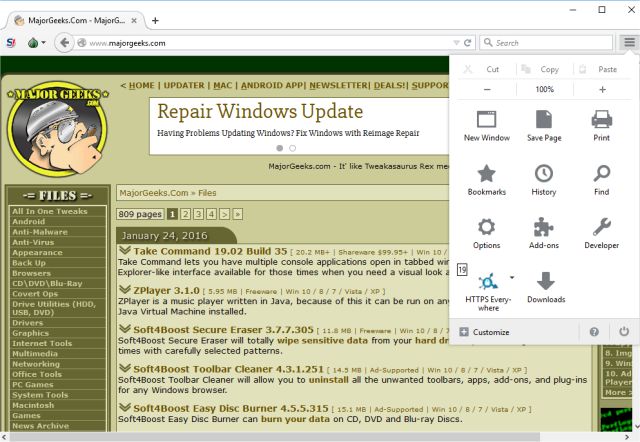
TOR is easily the best known browser in this area. It has been around a long time and uses Mozilla Firefox for its source. If you prefer Firefox, then this is the one for you. It runs NoScript and HTTPS-Everywhere by default and has a ton of easy to find and use settings.
SRWare Iron
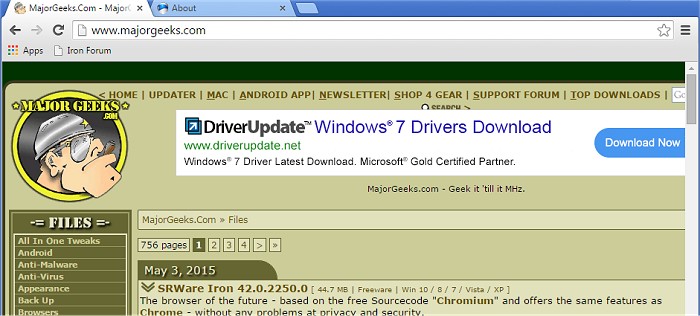
SRWare Iron browser is based on the source Googles "Chromium" and offers the same features as Chrome. It attempts to be an alternative to Google's browser minus the privacy and security concerns. If you like Google Chrome then give this one a try. Both browsers are rated 5 stars by our readers.
If you want to do everything anonymously take a look at Go Online Anonymously With These 8 Free Tools and if you simply want to occasionally browse anonymously then have a look at 6 Online Proxies to Access Blocked Websites and Surf the Web Anonymously.
If you want to do everything anonymously take a look at Go Online Anonymously With These 8 Free Tools and if you simply want to occasionally browse anonymously then have a look at 6 Online Proxies to Access Blocked Websites and Surf the Web Anonymously.
There’s also a lot of sacrifices you have to make that can be easily overlooked. For example:
Still interested? Let's take a look at your choices:
Tor Browser Bundle
TOR is easily the best known browser in this area. It has been around a long time and uses Mozilla Firefox for its source. If you prefer Firefox, then this is the one for you. It runs NoScript and HTTPS-Everywhere by default and has a ton of easy to find and use settings.
SRWare Iron
SRWare Iron browser is based on the source Googles "Chromium" and offers the same features as Chrome. It attempts to be an alternative to Google's browser minus the privacy and security concerns. If you like Google Chrome then give this one a try. Both browsers are rated 5 stars by our readers.
If you want to do everything anonymously take a look at Go Online Anonymously With These 8 Free Tools and if you simply want to occasionally browse anonymously then have a look at 6 Online Proxies to Access Blocked Websites and Surf the Web Anonymously.
Comments
